
VB Notes 0.4: links between notes, and a style bar
VB Notes 0.4 is out for Mac, Windows, Linux and Android. Get it from the releases page.
Links between notes
Type [[ and the first letters of a title. A list of matching notes comes up; pick one with the arrow keys and Return, a click or a tap, and VB Notes writes the full title and the closing ]].
On the desktop, ⌘-click a link (Ctrl-click on Windows and Linux) to open that note; on the phone, tap it. A link to a title that no note has yet makes that note, so you can write [[Packing list]] now and fill it in later. In the file, a link stays [[Packing list]], the way Obsidian and Bear write them.
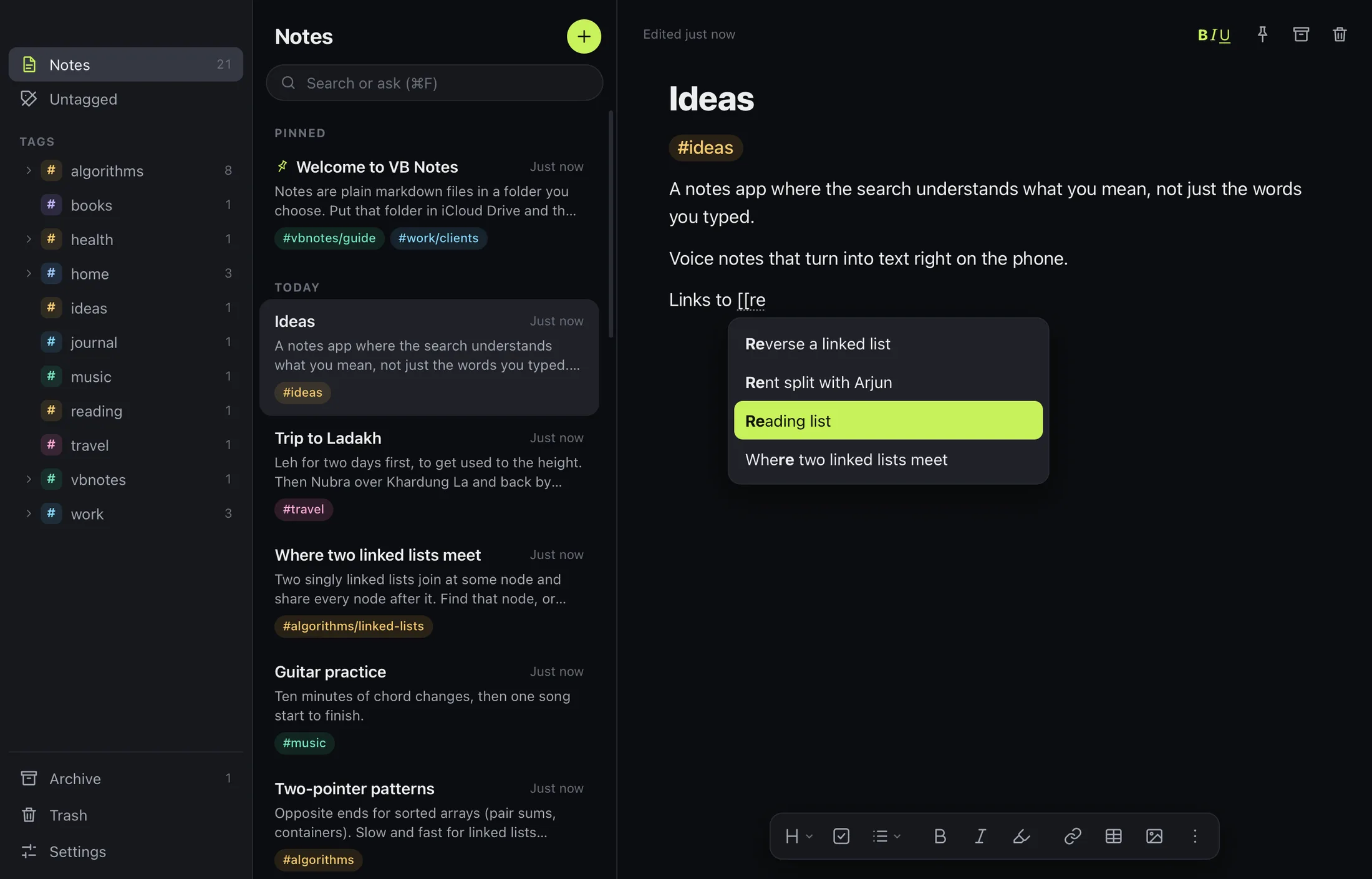
The style bar on the desktop
Click BIU over a note, or press ⇧⌘Y, and a bar of formatting buttons sits under the note: headings, todo, lists and quotes, bold, italic, highlight, link, table and pictures. The ⋮ menu holds underline, strikethrough and code. Every item shows its shortcut, and they are Bear’s: ⌘1 to ⌘6 for headings, ⌘L for a list, ⌘T for a todo, ⌘K for a link. See the desktop guide for all of them.
iCloud Drive from the first launch
The first time VB Notes opens, it asks where your notes should live, and iCloud Drive comes first. On a Mac it offers the VB Notes folder your iPhone keeps there, so both show the same notes without any setup. You can still choose any folder, or keep notes on one device. This arrives on iPhone with the App Store version.