
Export Apple Notes to Markdown: 4 Ways and What Breaks
Disclosure: VB Notes is my app. I’ve tried to be fair, and I say where the others are the better choice.
To export Apple Notes to Markdown, use the export built into Notes. On a Mac running macOS Tahoe 26 or later, select a note and open the File menu; on an iPhone with iOS 26 or later, tap Share, then Export as Markdown. That’s the right tool for a handful of notes. For a whole library, use Obsidian’s Importer or the Exporter app on a Mac, because both keep your Notes folders and the built-in export reportedly doesn’t.
Which way to export Apple Notes
Older guides, Zapier’s among them, still say Notes has no bulk export of its own. Third-party tests show otherwise on a Mac. Prices below were checked on 3 November 2026 and are US prices.
| Route | Best for | Needs | Cost | Keeps Notes folders |
|---|---|---|---|---|
| Built-in export | A few notes | iOS or iPadOS 26 or later, or a Mac on macOS Tahoe 26 or later | Free | No, by reports |
| Obsidian Importer | A whole library, with tables and scans | Mac, Obsidian | Free | Yes |
| Exporter | A whole library, without Obsidian | Mac, macOS 10.15 or later | Free, two add-ons at $4.99 each | Yes |
| notes-exporter script | Repeat backups, since it re-exports only changed notes | Mac, git, Python | Free, MIT licence | Not stated |
If you only own an iPhone or iPad, the built-in export is your only route here, one note at a time.
The built-in export on a Mac
Apple’s wording changes with the macOS version. The guide for macOS Tahoe 26 says File > Export as > Markdown. The guide for macOS 27 Golden Gate says File > Export To, then choose an option. Look in the File menu for whichever your Mac shows.
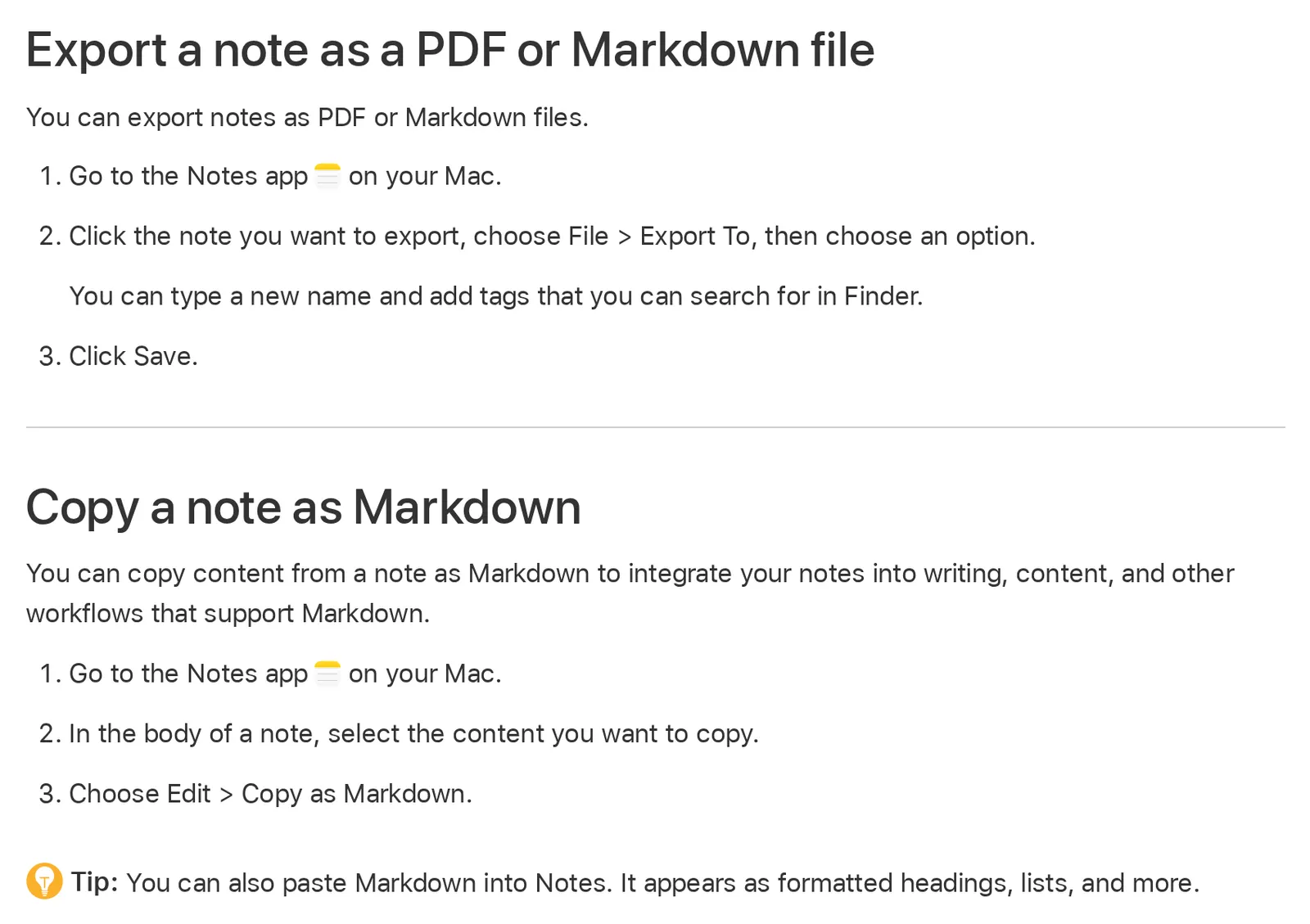 Apple’s Notes User Guide for macOS 27 Golden Gate on 3 November 2026. Source: support.apple.com
On macOS Sequoia, the Notes guide lists only File > Export as PDF. There’s no Markdown option to find on that version, so skip to Importer or Exporter.
Apple’s guides only describe one note at a time. La De Du’s guide, updated in September 2026 and tested on Tahoe and macOS 27, says you can highlight multiple notes and export the lot. Each export makes a new folder, named after the note, or “Archive” when there are several notes. Each file takes its name from the note’s first line, cut to about 75 characters.
If you want part of a note, macOS 27 adds Edit > Copy as Markdown. Select the text, copy, and paste it wherever you like.
The built-in export on iPhone
Open the note, tap the Share button, then tap Export as Markdown. If you don’t see it, tap the small arrow first, then choose where to send or save the file (iPhone User Guide).
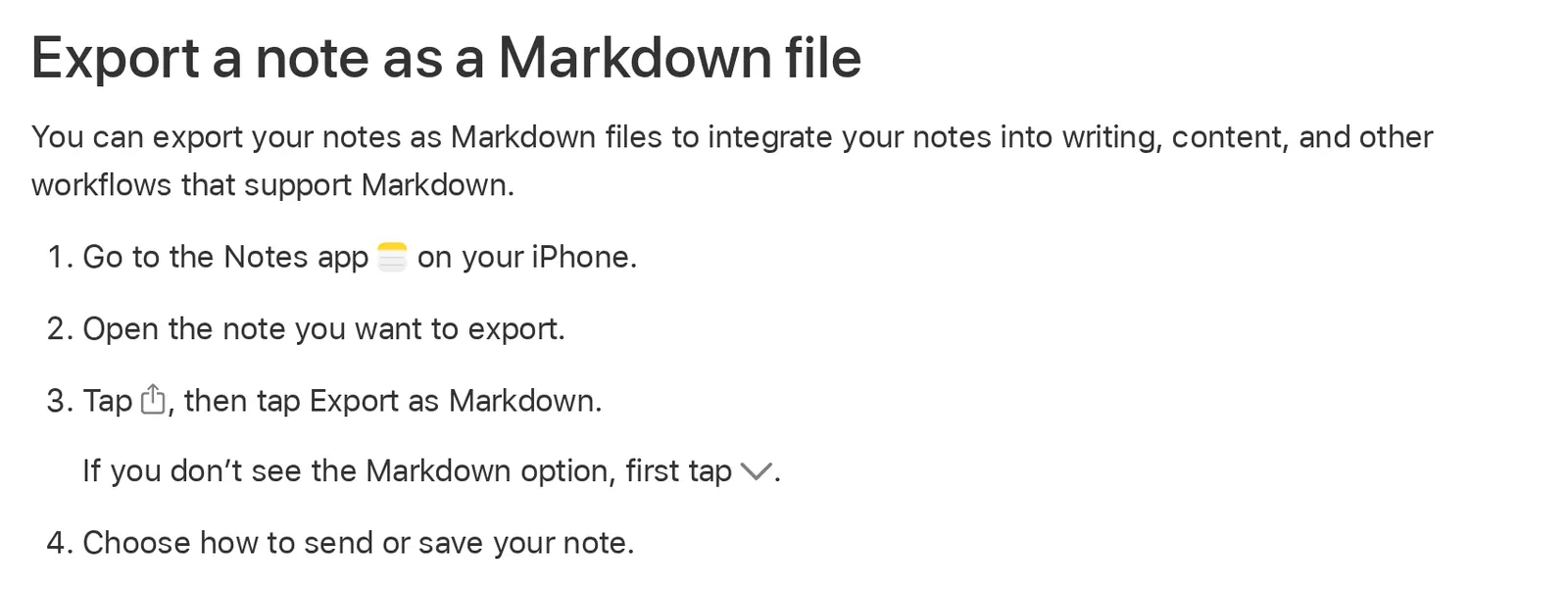 Apple’s iPhone User Guide for iOS 27 on 3 November 2026. Source: support.apple.com
The feature arrived in iOS 26. La De Du says iPhone and iPad export individual notes only, so a big library needs a Mac.
Export Apple Notes to Obsidian with Importer
Obsidian’s Importer plugin reads your notes directly, with no export step in Notes, and it’s the most complete route I’ve found documented. Obsidian’s help page says it handles virtually all content types, including tables, images, drawings, scans, PDFs and the links between notes added in iOS 17. Obsidian itself is free, with no sign-up.
- Open Settings in Obsidian, go to Community Plugins, then install and enable Importer.
- Open Importer from the ribbon icon or the command palette.
- Under File format, choose Apple Notes, then select Import.
- In the popup, select Open, and pick the
group.com.apple.notesfolder so Obsidian can read your notes. - Check the template and preview, select Import, and wait.
It runs on macOS only, and notes locked with a password get skipped until you open them with that password.
You don’t have to stay in Obsidian afterwards. A vault is a folder of plain text Markdown files, so what you get is a notes folder with subfolders matching your Notes folders, plus a folder of attachments (MacStories). One thing to watch: an open issue says HEIC images can’t be viewed in Obsidian and need converting by hand.
Exporter, the Mac app with no Obsidian involved
Exporter is a small Mac app by Chintan Ghate. It writes Markdown or HTML, keeps creation and modification dates, and puts notes in folders named after their notebooks.
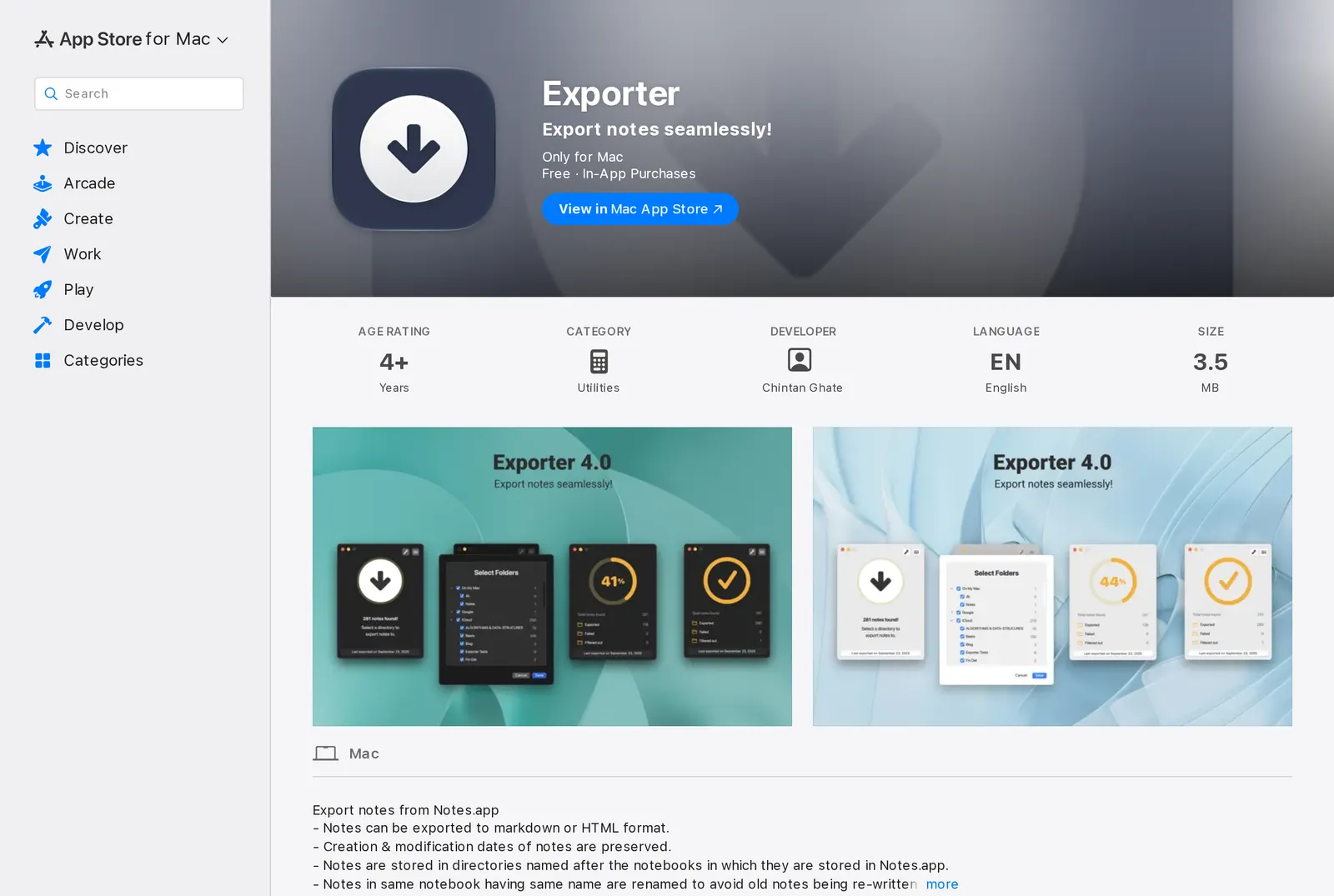 Exporter on the US App Store on 3 November 2026, showing the US price. Source: apps.apple.com
The base app is free. Picking only certain notebooks and scheduled backups are $4.99 each. Version 4.0 in September 2025 added to-do state, links, hashtags and scanned documents to the export. A 2021 release note says non-image attachments are added as links at the end of the note, so check where your PDFs land.
If you’d rather run a script, notes-exporter uses AppleScript and writes Markdown along with HTML, PDF and Word. It’s macOS only and needs git and Python, plus Chrome for PDF and Pandoc for Word.
What breaks in an Apple Notes Markdown export
Apple doesn’t publish how each kind of content converts, so everything here comes from other people’s tests and reports. Treat it as a list of things to check.
- Text formatting: headings, bold, italics, lists and links come through. Highlight colours, alignment, typeface, text size and text colour don’t, according to La De Du.
- Attachments: images, PDFs and voice recordings go in an Attachments folder and are linked from the Markdown. Keep that folder beside the
.mdfiles when you move them. - Images in bulk: this is the failure I’d check first. In a September 2025 report, a bulk export pointed every image at a file called
FallbackImage.pnginstead of the real picture, and also left an SQLite database in the export. It’s an old report and may be fixed, which is exactly why you should look. - Tables: they aren’t on La De Du’s list of what’s preserved, and a September 2026 write-up lists them among the elements that may not map cleanly. If your notes lean on tables, use Importer.
- Checklists: La De Du lists them as preserved, while that same September 2026 write-up says reports vary. Check whether your ticked items come out as
- [x]. - Folders: that write-up also says your Notes folder hierarchy isn’t recreated. Export one folder at a time if you want to keep them apart.
Apple Notes export to Markdown not working
If there’s no Markdown option on a Mac, check your macOS version, since Sequoia only offers PDF. On iPhone, the option can be hidden behind the small arrow in the share sheet. If Importer can’t see your notes, make sure you picked group.com.apple.notes in its popup, and open any locked notes with their password first.
Test three notes before you export everything
A small test saves you from finding the damage after you’ve deleted the originals. Pick three notes: one with a photo, one with a table, and one with a half-ticked checklist. If you lock notes, add one of those too. Export them together, not one by one, because the image problem above appeared in bulk.
Open each .md file in a plain text editor. Look for real file names in the image links, | characters in the table, and - [ ] and - [x] in the checklist. Then count the files in the Attachments folder against what you expected. Keep your notes in Apple Notes until the result looks right; none of these routes needs you to delete anything.
Where to put the files
Obsidian opens the result, and so does VB Notes: copy the exported folder into iCloud Drive and pick it under Settings › Notes folder › Location, and those files are your notes, on iPhone and on the desktop, with nothing to import. VB Notes lists notes in subfolders too, so Importer’s notes show up in place. Rename a folder called “Archive” before you add it to an existing VB Notes folder, because VB Notes keeps archived notes in a folder with that name.
On Android, a sync app keeps the same folder on the phone. VB Notes won’t read Apple Notes directly and has no importer of its own, so you need one of the exports above first.
FAQ
Can you export Apple Notes to Markdown on iPhone?
Yes, on iOS 26 or later. Open the note, tap Share, then Export as Markdown. It works on one note at a time, so use a Mac for a whole library.
What’s the best way to export all Apple Notes at once?
Use Obsidian’s Importer on a Mac if you want tables, scans and folders kept, or Exporter if you don’t want Obsidian. Selecting every note and using the built-in export is the free fallback, but it reportedly loses your folder structure.
Does exporting Apple Notes to Markdown keep images?
Single exports put images in an Attachments folder linked from the note. One 2025 report found bulk exports broke image links, so test a few notes first and open the links.
How do I export Apple Notes to Obsidian?
Install the official Importer plugin in Obsidian on a Mac, choose Apple Notes as the file format, and select the group.com.apple.notes folder when asked. It doesn’t work on iPhone or iPad.
Is there an Apple Notes to Markdown converter for older Macs?
Exporter runs on macOS 10.15 or later and needs no help from Notes’ own export, so it’s the simple choice on Sequoia and older versions.
When to stay put
If you live in Obsidian, Importer is the better choice and you can stop here. And if Apple Notes still does everything you want, a Markdown copy kept as a backup is a perfectly good reason to do this and stay put.