
Best Markdown Notes App for iPhone: 6 Compared
Disclosure: VB Notes is my app. I’ve tried to be fair, and I say where the others are the better choice.
The best markdown notes app for iPhone is Bear if you want the nicest editor and only use Apple devices, and Obsidian if you want your notes as plain files with free apps everywhere. iA Writer is the pick for long writing, at $19.99 once. The question that separates them is where your notes live: Bear and Drafts keep them inside the app, while Obsidian, iA Writer, 1Writer and VB Notes, my app, keep them as .md files you can open anywhere.
Files or a database: the choice that matters most
Every app here writes Markdown; what differs is where it goes after you type. Bear keeps notes in a database. Its own FAQ says that “on both iOS and macOS, Bear’s notes are stored in a SQLite database”, and that on iOS you can’t access it at all (Bear FAQ). You get Markdown out by exporting, which is free.
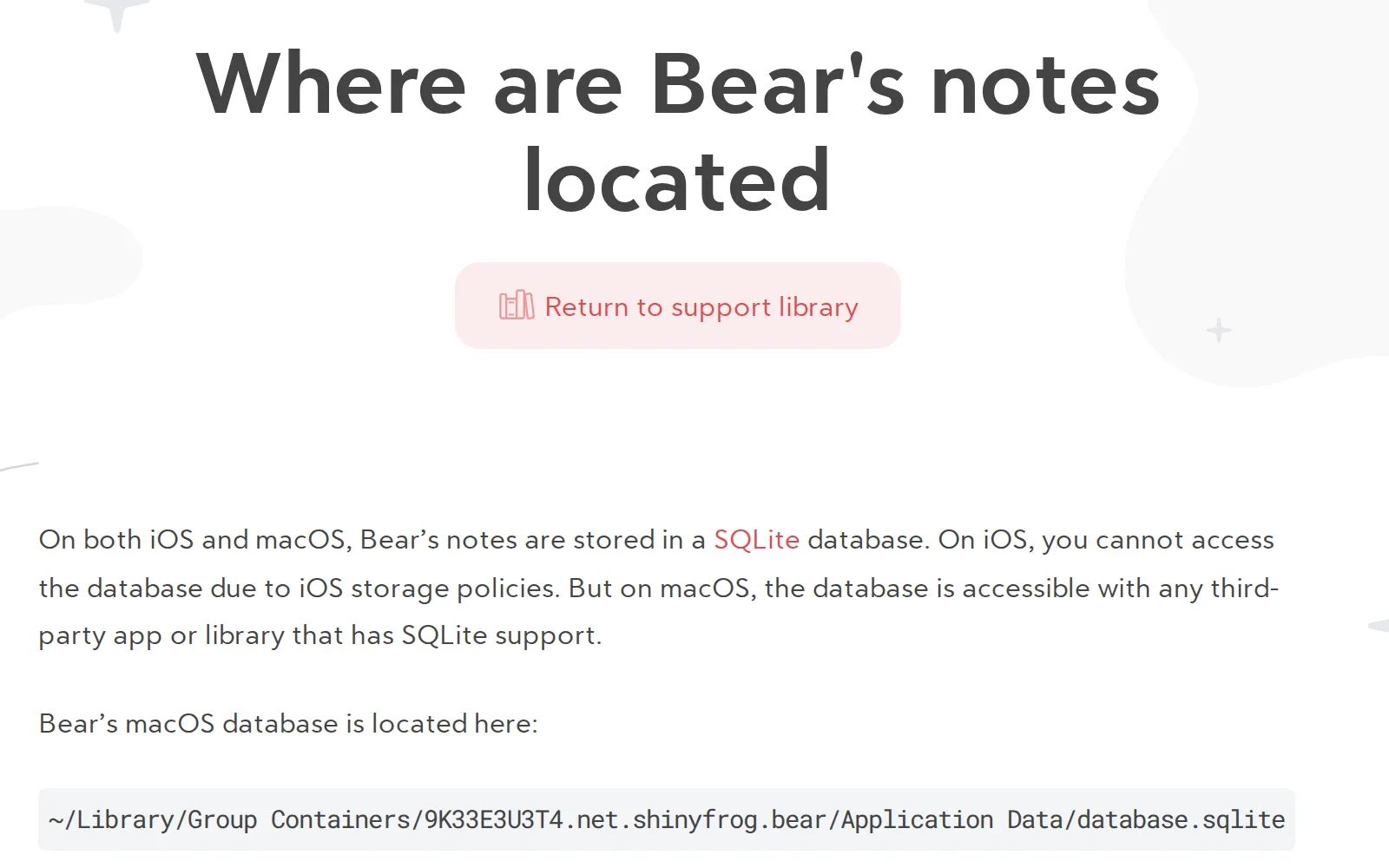 Bear’s FAQ on where notes are located, 7 November 2026. Source: bear.app
Drafts is similar: its sync guide says it syncs through CloudKit and “does not sync via files”, so drafts aren’t visible in iCloud Drive until you export them.
 The About iCloud Drive section of the Drafts User Guide on 7 November 2026. Source: docs.getdrafts.com
The file-based apps work the other way round. Your notes are .md files in a folder in iCloud Drive or on the phone, and any other Markdown app can open the same folder. That matters the day you want to switch apps, use Windows or Android, or run a script over your notes.
Best markdown notes apps for iPhone compared
Prices were checked on 7 November 2026 and are US prices, from each app’s App Store listing or pricing page.
| App | Price | Notes are kept | Tables | Checklists | Editor |
|---|---|---|---|---|---|
| Bear | Free; sync needs Pro at $2.99 a month or $29.99 a year | Bear’s database | Yes | Yes | Formats as you type |
| Obsidian | Free; optional Sync from $4 a month | .md files in a vault |
Yes | Yes | Live Preview |
| iA Writer | $19.99 once | Files in iCloud or another folder | Yes | Yes | Text, with a preview |
| 1Writer | $4.99 once | Files in iCloud, Dropbox or WebDAV | Not listed | Yes | Highlighted text, with a preview |
| Drafts | Free; Pro $2.99 a month or $24.99 a year | Drafts’ iCloud store | In preview | In preview, with the GitHub parser | Highlighted text |
| VB Notes | Free | .md files in iCloud Drive or on the phone |
Yes | Yes | Formats as you type |
Bear: the best editor, if you stay on Apple devices
Bear is free to download, and Bear Pro costs $2.99 a month or $29.99 a year. Pro is what syncs your notes between iPhone, iPad and Mac through iCloud. Exporting to plain text, Markdown and TextBundle is free; HTML, DOCX, PDF and the other formats need Pro.
Bear’s home page lists what makes it pleasant to write in: Markdown that formats as you type, hundreds of tag icons, headings that fold, and sketches in a note. The App Store listing adds tables, and tasks you can gather from every note that has them.
The limits are the database above and the platforms: its apps are for Mac, iPhone and iPad. If you’re weighing it against Obsidian, I wrote a head-to-head comparison.
Obsidian: plain files and the most features
Obsidian is free on the iPhone, and its pricing page says it’s free without limits and needs no sign-up.
Notes are Markdown files in a vault, which is a folder, and the iPhone app can keep that vault in iCloud.
The editor opens in Live Preview, which shows formatting inline and hides most of the Markdown. Task lists and code blocks are part of its basic syntax, and tables and Mermaid diagrams are in the advanced syntax.
Through iCloud, at no extra cost, the vault syncs between iPhone and Mac (sync guide). For Windows or Android too, Obsidian Sync costs $4 a month billed yearly or $5 monthly. On a small screen, Obsidian also asks more of you than Bear: it’s a tool you set up.
iA Writer: for writing, not collecting
iA Writer costs $19.99 once. It’s a writing app first: a focused text editor you swipe to preview, and export to WordPress, Medium, HTML, Word and PDF. Version 8.1 added spreadsheet-style table editing, and its Markdown guide covers tables, task lists, code blocks and footnotes.
Files live where you put them. If iCloud Drive is on, iA Writer uses it by default, and you can add other folders, including Dropbox, from the Library. Pick it for drafting long pieces. For lots of short, tagged notes, Bear or Obsidian fit better.
Ulysses, the other writing app these lists name, is sold mainly by subscription: $5.99 a month or from $29.99 a year in its App Store listing, which also offers a $199.99 perpetual licence. It keeps texts in its own library. It’s a fine writing tool, but neither a notes app nor plain files, so it isn’t in the table.
1Writer: the cheap, plain-text option
1Writer costs $4.99 once, with optional tips. It highlights Markdown as you write, shows a rich preview, and has checklists you tick off. It syncs with iCloud, Dropbox and WebDAV, so it can work straight on a Dropbox folder you already have.
The listing doesn’t mention tables, and its last update was in September 2025. It’s a good second app for editing a folder you already keep elsewhere.
Drafts: capture first, then send it somewhere
Drafts is free, with Drafts Pro at $2.99 a month, $24.99 a year or $39.99 as a Patron. It’s built for capture: you type, then actions send the text on, to Reminders, to other services, or out to a file in iCloud Drive.
Markdown is highlighted in the editor, and when it converts to HTML for a preview or an action, tables are handled by both of its Markdown parsers and task lists by the GitHub-flavored one. It’s the best inbox of the six, not the best archive.
VB Notes: a Bear-style editor that saves plain files
VB Notes is for people who like Bear’s way of writing but want their notes as files. It’s built by one person and free on the App Store, with no account, no ads and no in-app purchases, and it collects no personal data. Every note is a .md file in a folder you choose, in iCloud Drive or on the phone, so Obsidian or iA Writer can open the same folder.
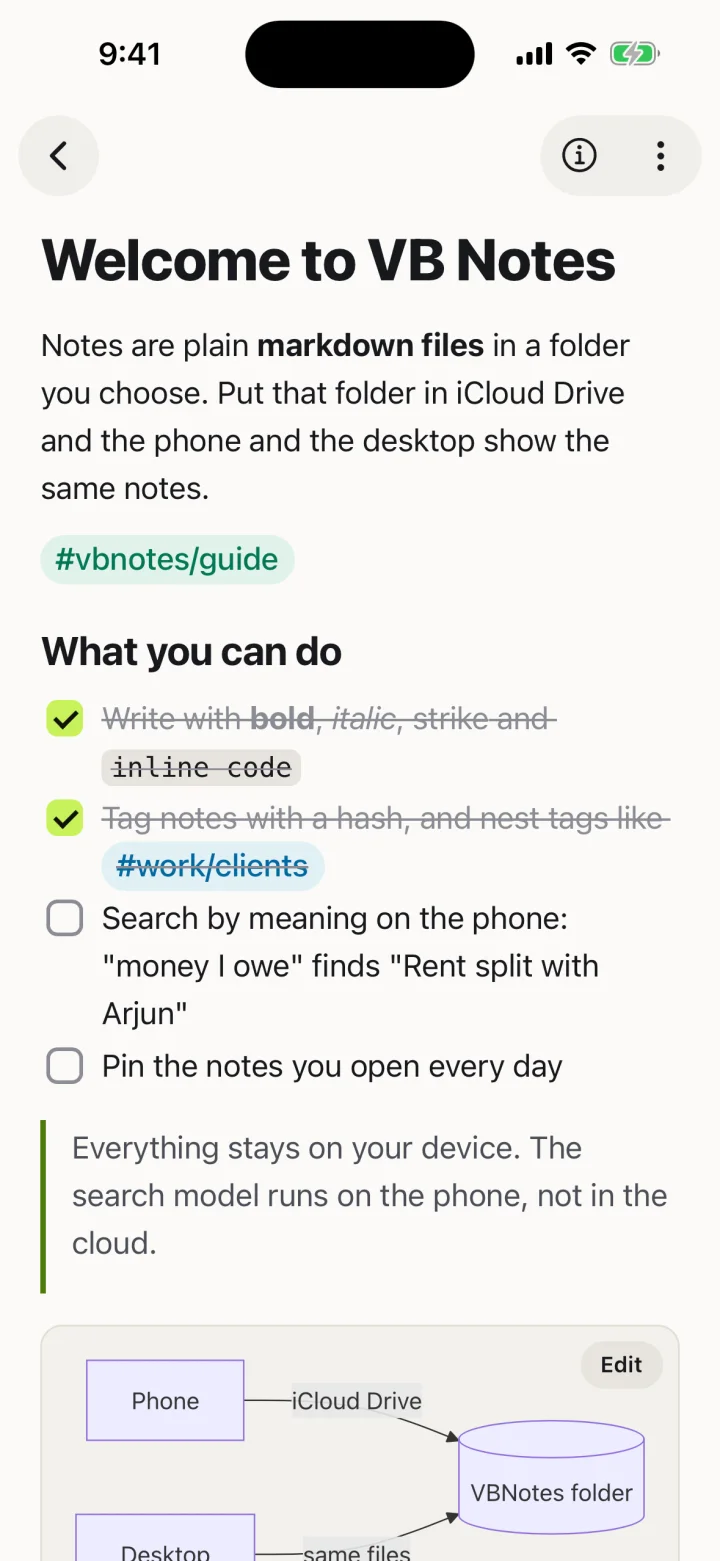 A note in VB Notes on iPhone. Source: VB Notes docs
You don’t type the Markdown on a phone keyboard. The keys over the keyboard write it for you: headings, checklists you tick with one tap, tables, code coloured by language, Mermaid diagrams and [[Note title]] links. The file underneath stays standard Markdown. Search by meaning runs on the phone, so you can find a note by describing it, offline.
What it lacks: no iPad-specific version, no web app, no sharing, no plugins or graph view, no backlinks panel, and no encryption of its own. On the iPhone it can’t use Google Drive or Dropbox folders, only iCloud Drive or the phone itself.
FAQ
What is the best markdown editor for iPhone?
For notes, Bear has the best editor but needs Pro to sync, and Obsidian has the most features, free, with plain files. For long writing, iA Writer is a one-time purchase rather than a subscription.
What is the best free markdown editor for iPhone?
Obsidian and VB Notes are free with no limits and keep notes as .md files. Bear is free, but syncing between devices needs Pro.
Is there a markdown notes app for iOS that stores plain files?
Yes. Obsidian, iA Writer, 1Writer and VB Notes all keep notes as files in a folder you can open with other apps. Bear and Drafts keep them inside the app and export Markdown on request.
Does Apple Notes support Markdown?
Apple Notes can export a note as Markdown from the Share button (iPhone User Guide), so you can bring notes into any app here.
Which to choose
If you only use Apple devices and love writing in Bear, pay for Pro and stay; nothing here has a nicer editor. If your notes need to outlive the app, or reach a Windows or Android device, pick a file-based app: Obsidian if you want plugins, VB Notes if you want a Bear-style editor on Windows or Android too.