
Search Notes by Meaning: Which Apps Do It, and Where
Disclosure: VB Notes is my app. I’ve tried to be fair, and I say where the others are the better choice.
To search notes by meaning, you need an app with semantic search: it turns each note and your question into numbers that stand for their meaning, then shows the notes closest to what you asked, even when they share no words with it. Evernote has it for everyone on v11, Notion on its Business plan, Joplin on the desktop, Obsidian through a plugin, and VB Notes on your phone and computer. Apple Notes doesn’t: its search uses filters and recognition. The bigger difference is where it runs: on your device, or on a company’s servers.
How semantic search works
The Sentence Transformers documentation puts it in two steps: you “embed all entries in your corpus” into a vector space, and at search time “the closest embeddings from your corpus are found” (SBERT docs). An embedding is a list of numbers made by a small language model, and notes about similar things end up with similar numbers.
So “Spain vacation” can land near a note called “Barcelona Trip”, because the model has learned those ideas sit close together. Evernote uses that very example in its announcement.
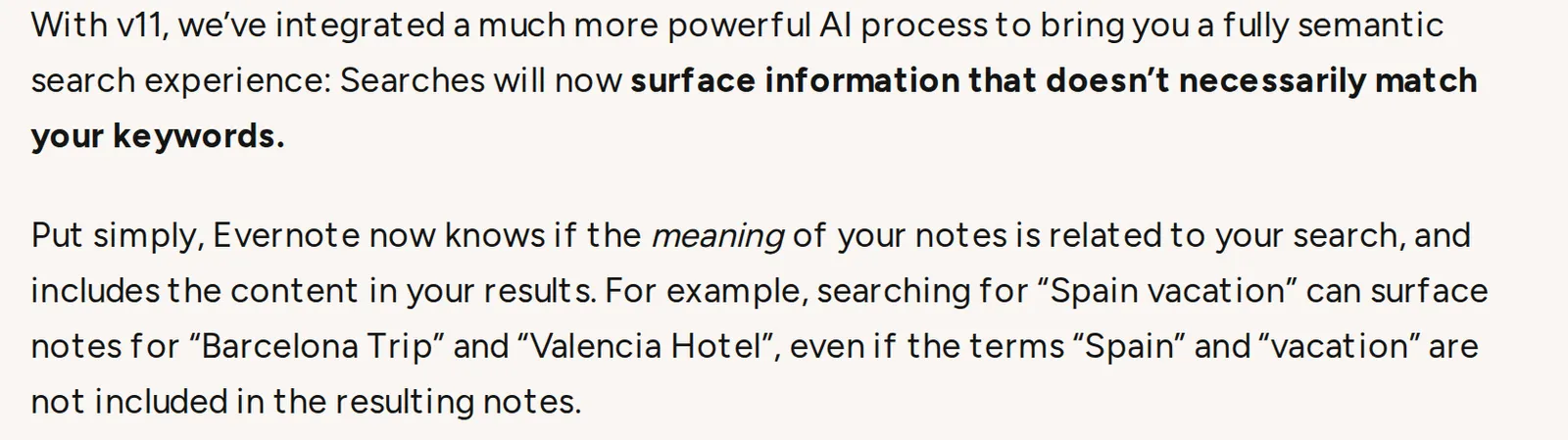 Evernote’s v11 announcement, screenshot taken 9 November 2026. Source: evernote.com
The same docs warn that “it is critical that you choose the right model for your type of task”, and a short question searched against longer notes is its own kind of task. The model an app picks decides how loose or tight its matches are.
Which note apps search by meaning
Notion’s price was checked on 9 November 2026 and is the US price.
| App | Search by meaning | Where it runs | Phone |
|---|---|---|---|
| Evernote | Built in, from v11 | Not stated | Yes |
| Notion | Enterprise Search, on the Business plan from $20 per member a month | Cloud models from OpenAI, Anthropic or Google | Not stated |
| Joplin | Built in, from v3.7 | On your computer | No, desktop only |
| Obsidian | Through the Smart Connections plugin | On your device, with a local model | Yes |
| Apple Notes | No, natural-language filters instead | Not stated | Yes |
| VB Notes | Built in | On your device, offline after one download | Yes |
Evernote
Evernote added semantic search in v11, announced on 19 January 2026. Searches now “surface information that doesn’t necessarily match your keywords”, and a question like “Barcelona flight confirmation” can come back with the answer pulled out of a note, plus links to the notes it came from. It’s “available on Desktop, Mobile, and Web for all customers using Evernote v11”, in the same box as regular search.
The announcement doesn’t say where the search runs. Evernote’s pricing page lists Semantic Search among its AI features, described as “Find related notes based on their content”. If your notes already live in Evernote, this is the easiest way to get meaning search: there’s nothing to set up.
Notion
Notion’s version is less a search box and more a question you ask. Enterprise Search lets you “enter your question in the search window” on the Home tab, finds the answer in your workspace and in connected apps like Slack, Google Drive and Jira, and “it’ll always cite its sources” (Notion help). You can pick the model behind it: OpenAI’s GPT, Anthropic’s Claude or Google’s Gemini.
It’s a Business and Enterprise feature. On Notion’s pricing page, Business starts at $20 per member a month, while Free and Plus get only a limited trial of Notion AI. If you’re one person with a private notebook, that’s a lot to pay for search.
Joplin
Joplin now does it on the desktop. From v3.7 it “can index your notes so they can be searched by meaning rather than just by exact words”, and its help says “all of this runs entirely on your device” (Joplin help). Turn on Enable AI features in the AI section of the settings, and it downloads a model of about 140 MB and indexes your notes in the background. The meaning matches are mixed in with the usual full-text results.
The limits: it runs on Windows, Linux and Apple Silicon Macs, not on Intel Macs, and not in the phone apps. The index doesn’t sync either, so each computer builds its own.
Obsidian with Smart Connections
Obsidian’s own search matches words. Each word is “matched independently within each file”, with quotes for exact phrases, regular expressions and operators like tag: (Obsidian help). It’s precise, and it has no idea what you meant.
Smart Connections is the community plugin that adds meaning. It “ships with a local embedding model that just works”, with “no API key required”, and its README says it works on mobile too. It shows related notes beside the one you’re writing, as well as answering searches. The code is “source available” rather than open source, and some advanced options sit in a Pro version for project supporters.
This is the best route for anyone already in Obsidian, since the notes stay plain files and the model runs on your machine.
Apple Notes
Apple Notes has “natural language search”, and it’s easy to mistake for meaning search. Apple’s guide gives examples like “notes created last week”, “modified today” and “with documents about remodel”, and search also reads handwriting, text in scans and what’s in pictures, such as a bike (Apple’s Notes guide).
Those are filters and recognition, though. Nothing in Apple’s guide says the search box finds a note by a related idea, so don’t expect “Spain vacation” to turn up “Barcelona Trip”. If you want meaning search over notes that live in Apple Notes, they have to be exported to markdown first and opened in an app that has it.
What about Reor?
Reor still turns up in lists of semantic search apps. It’s a desktop app that “provides semantic search” with local models through Ollama. Its GitHub repository was archived by its owner on 7 March 2026 and is now read-only, so it no longer gets fixes. I wouldn’t start a notes collection in it now.
On your device or in the cloud
Meaning search needs every note turned into an embedding, so someone’s computer has to read all of them. With Joplin, Smart Connections and VB Notes, that computer is yours. With Notion, the search runs in Notion AI, on models from OpenAI, Anthropic or Google. Workspace owners can choose which AI providers the workspace uses (Notion AI FAQ), and the pricing page lists “zero data retention with LLM providers” as an Enterprise feature.
That isn’t automatically bad. Your notes in Evernote or Notion are already on their servers, and the cloud lets the search draw on Slack or Google Drive. But for a private journal or work you can’t share, on-device search is the one where nothing new leaves your phone.
Searching by meaning in VB Notes
VB Notes has two modes over the search box: Meaning and Exact words. Ask “what does my flatmate owe me” and it finds a note called “Rent split with Arjun” that never uses those words (search guide).
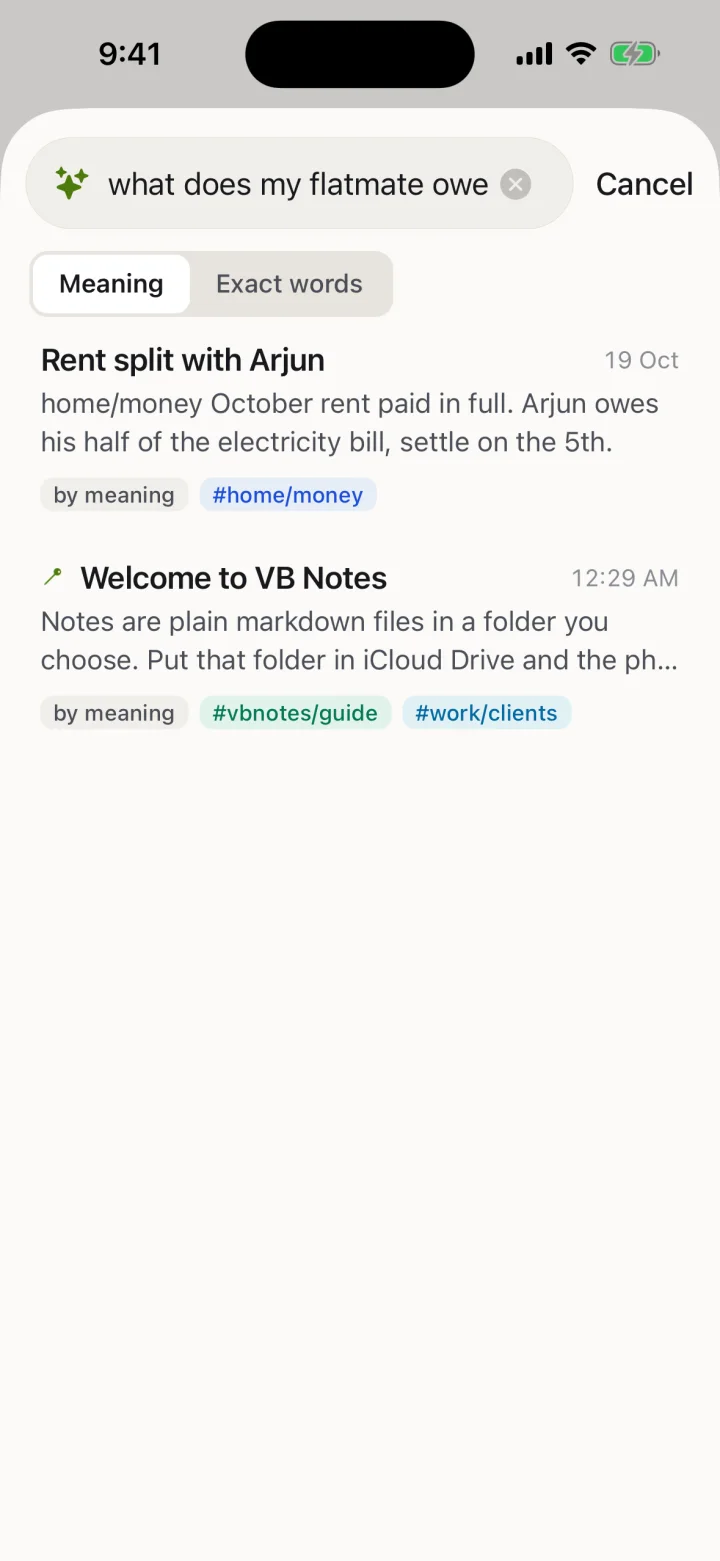 Search by meaning in VB Notes on iPhone.
The model runs on the phone, or on the computer in the desktop app. It’s downloaded once, then search works offline, and your notes and questions are never sent anywhere to be searched. On the phone you can pick the Standard model (English and ten other languages), a Light one that’s smaller and English only, or one for fifty or more languages, Hindi included, which can match across languages. The desktop download is about 380 MB (desktop guide).
It’s free, with no account, and the notes are plain .md files in your own folder. What it lacks: it doesn’t search your other apps the way Notion does, and it won’t pull an answer out of a note like Evernote’s quick answers. For that there’s a separate, optional chat with AI, using your own API key.
When exact words still win
Meaning search is worse at some things. A single word, a name, a code or an order number is best found with exact-word search, and VB Notes’ own guide says a single word “is best as an exact search”, with meaning coming into its own once you type a few words. Obsidian’s operators and regular expressions find things no meaning model will.
The habit that works: type the word if you remember it, and ask the question if you only remember what the note was about.
FAQ
What is semantic search in notes?
It finds notes by what they’re about rather than the words they contain. Each note and your query become embeddings, lists of numbers that capture meaning, and the closest notes come back first.
Does Apple Notes have semantic search?
Not as a search-by-meaning feature. It understands filter phrases like “created last week”, reads text in images and handwriting, and recognises objects in pictures, but Apple’s guide doesn’t describe finding notes by related ideas.
Is there AI search for notes that works offline?
Yes. Joplin on the desktop, Obsidian with the Smart Connections plugin, and VB Notes all run the search model on your own device, so notes aren’t sent anywhere to be searched. Notion’s search uses cloud models.
How do I search notes by meaning on iPhone?
Apple Notes can’t, so use an app that can: Evernote v11, Obsidian with Smart Connections, or VB Notes, which runs the model on the phone. Joplin’s meaning search is desktop only.
Is there a free app that searches notes by meaning?
Yes. VB Notes has it built in, free and with no account, and Smart Connections adds it to Obsidian with a free core plugin. Evernote includes it for all customers on v11.
If your notes already live in Evernote, update to v11 and use what’s there. If you’re in Joplin on a computer, switch on its AI features; in Obsidian, add Smart Connections. If your team works in Notion and pays for Business, its search reaches Slack and Drive too, which no on-device app will. And if you want meaning search that stays on your phone, point VB Notes at a folder of your markdown notes and ask it a few questions.