
UpNote Alternative: 4 Picks, Download Sizes and How to Move
Disclosure: VB Notes is my app. I’ve tried to be fair, and I say where the others are the better choice.
The right UpNote alternative depends on why you’re leaving. For free plain files you own, pick Obsidian or VB Notes, my app. Obsidian has plugins and the biggest community. VB Notes is a 14 MB desktop app with free phone apps and no account, but no notebooks, web clipper or sync service of its own. Joplin is closest to UpNote’s notebooks and web clipper, with open code, and Notesnook suits you if end-to-end encryption is the point. Whatever you pick, export everything from UpNote’s desktop app first: the phone apps export one note at a time.
Why people look for an UpNote alternative
UpNote is cheap and pleasant, which is why most people chose it. Premium is $1.99 a month or $39.99 for a lifetime licence on UpNote’s site, and the free plan stops at 50 notes.
- Storage. UpNote’s FAQ says it stores and syncs your notes through Firebase, a Google service, on servers in the United States. There’s no end-to-end encryption, and no iCloud sync.
- Paying from a PC. The same FAQ says upgrading isn’t available on Windows or Linux yet. You buy on iPhone, Android or Mac and it carries over.
- Closed code. Nothing on UpNote’s site or help offers source code, so if the app stops, your way out is its export.
- Size. The Mac App Store listing puts the Mac app at 160.5 MB. A Desktop Insights scan finds it’s built on Electron and lists the installed universal Mac app at 916 MB.
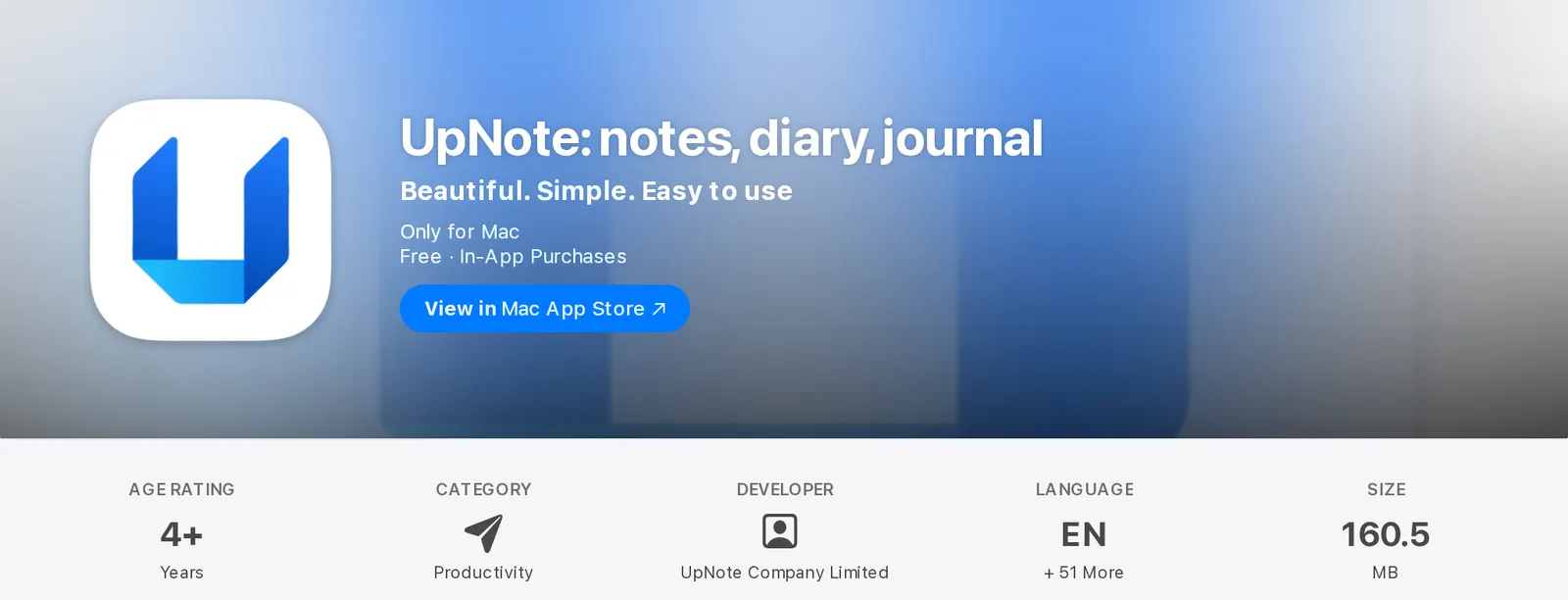 UpNote on the US Mac App Store on 5 November 2026. Source: apps.apple.com
A big download doesn’t make an app slow, and I haven’t measured speed or memory for any app here. Download size is the number anyone can check, so it’s the one I compare.
UpNote alternatives compared
Sizes are each app’s latest desktop installer as its release page lists it, and the Mac App Store size for UpNote. Prices were checked on 5 November 2026 and are US prices unless marked.
| App | Open source | Notes are | Sync | Mac download | Windows download | Cost |
|---|---|---|---|---|---|---|
| UpNote | No | In UpNote’s cloud | Its own, through Firebase | 160.5 MB | Not listed | 50 notes free, $1.99 a month or $39.99 once |
| VB Notes | Yes, MIT | Plain .md files |
Your folder: iCloud Drive or a sync app | 14.3 MB | 5.22 MB | Free |
| Obsidian | No | Plain .md files |
Obsidian Sync, or your own | 222 MB | 324 MB | Free, Sync from $4 a month |
| Joplin | Yes, AGPL | A SQLite database | Joplin Cloud, Dropbox, OneDrive and more | 199 MB (Intel) | 352 MB | Free, Cloud from 2.99€ a month |
| Notesnook | Yes, GPL-3.0 | Encrypted, in its cloud | Its own, end-to-end encrypted | 120 MB (Apple Silicon) | 94.5 MB | Free plan, paid plans for more |
Export everything from UpNote first
UpNote’s export guide gives two ways to export all notes, both on the desktop:
- On a Mac, choose File → Export all notes.
- On Windows, open Settings, then General, and pick the export-all option.
Formats are PDF, text, HTML and Markdown. Markdown and HTML both make an export folder, with your pictures and attachments in a Files folder inside it. On iPhone and Android the guide only covers exporting one note at a time, from the ⋯ menu, so use a computer for the full export.
Pick Markdown for VB Notes and Obsidian. Pick HTML for Notesnook, whose importer expects it, as below. For Joplin, Markdown works through its folder import.
VB Notes: small, free, and plain files
VB Notes fits if you want a clean, simple notes app without an account, a subscription or a big download. The desktop app is built with Tauri, which draws in the system’s own web view instead of bundling a browser engine. The 0.4.12 installers are 14.3 MB for Mac (Apple Silicon and Intel), 5 to 7 MB for Windows and the Linux packages, and 81.7 MB for the AppImage (GitHub releases).
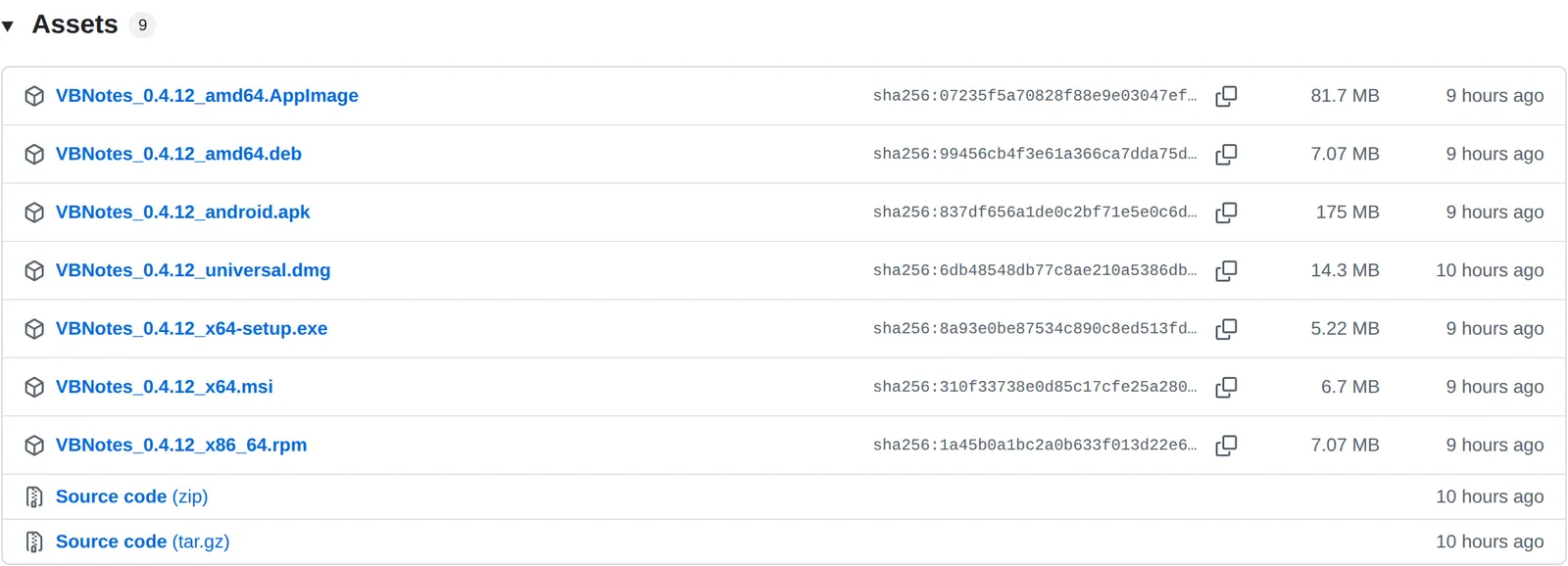 The installers for VB Notes 0.4.12 on 5 November 2026. Source: github.com
Moving in is one drag. Drop UpNote’s Markdown export folder onto the list of notes in the desktop app, and the notes are copied in with the pictures they show. Every note is then a plain .md file in a folder you choose, which any other app can open.
The phone apps for iPhone and Android are free too, with no account, no ads and no in-app purchases. The code is MIT-licensed on GitHub. Search by meaning runs on your device, so you can find a note by asking in your own words without sending it anywhere.
What it lacks: VB Notes has no sync service of its own: on iPhone and Mac you keep the folder in iCloud Drive, and on Android or Windows a sync app such as Syncthing or FolderSync does the job. On iPhone, Google Drive and Dropbox folders can’t be picked. There are no notebooks (nested #work/clients tags do that job), no web clipper, no PDF export, no web app, no iPad-specific version and no encryption of its own. It’s built by one person.
Obsidian: plain files, the safe pick
Obsidian is free without limits and needs no account. It keeps notes as plain Markdown files in a vault, so UpNote’s Markdown export opens as it is. To me its plugins are the reason to pick it. Obsidian Sync is $4 a month billed yearly, or $5 monthly, if you want the simple way between devices.
It isn’t the light option. The 1.15.0 installers are 222 MB for Mac and 324 MB for Windows. It also isn’t open source, as its releases repository says. Pick it if plugins and the biggest community matter more to you than size.
Joplin: closest to UpNote’s notebooks
If you liked UpNote’s structure, Joplin feels the most familiar. Notes sit in notebooks and carry tags, and there’s a web clipper for Chrome and Firefox that runs through the desktop app. It’s open source under the AGPL-3.0-or-later licence, with apps for Windows, Mac, Linux, Android and iPhone.
Sync is flexible: Joplin’s sync page lists Joplin Cloud, Nextcloud, S3, WebDAV, Dropbox, OneDrive and a local folder. Joplin Cloud starts at 2.99€ a month, or 2.40€ a month billed yearly (Joplin plans).
To bring UpNote’s notes in, use File > Import > MD - Markdown (directory) in the desktop app (Joplin help).
Notes live in a SQLite database, not as files you can open in another app.
It isn’t small either. Version 3.7.22 is 199 MB for Intel Macs, 202 MB for Apple Silicon and 352 MB for the Windows setup, bigger than UpNote’s 160.5 MB Mac download.
Notesnook: if privacy is why you’re leaving
Notesnook is GPL-3.0 and encrypts everything on your device before it syncs, which answers UpNote’s no-encryption FAQ directly. Its desktop app is Electron, like UpNote’s. The 3.4.12 installers are 120 MB for Apple Silicon Macs and 94.5 MB for 64-bit Windows.
It has the easiest move from UpNote. Its UpNote guide says to export all notes as HTML, zip the folder, and import it in Notesnook’s web or desktop app, keeping formatting, images and attachments. The import runs on your device. The free plan allows unlimited notes on unlimited devices, with limits of 50 notebooks and 50 tags.
FAQ
What is the best free UpNote alternative?
VB Notes and Obsidian are both free with no note limit, and both keep notes as plain Markdown files. Both are free on desktop and phone. VB Notes is a far smaller desktop download; Obsidian has plugins and a bigger community.
Is there an open source UpNote alternative?
Yes. VB Notes (MIT), Joplin (AGPL) and Notesnook (GPL-3.0) are open source and run on desktop and phone. UpNote’s own code isn’t published.
Is UpNote an Electron app?
Desktop Insights’ scan of UpNote’s Mac app finds Electron, at 916 MB installed, and the Mac App Store lists the download at 160.5 MB. Electron embeds Chromium and Node.js in each app built with it.
How do I export all my notes from UpNote?
On a Mac, use File → Export all notes; on Windows, Settings, then General. Choose Markdown for apps that read plain files, or HTML for Notesnook’s importer.
When to stay with UpNote
If its look, its notebooks and its web clipper are why you use it, and Google’s servers don’t bother you, $39.99 once is a fair price to stay. Leave if you want your notes as files, open code or encryption. Coming from Bear or Obsidian too? My Bear vs Obsidian comparison covers that choice.