
Apple Notes Alternative for Android: 6 Apps Compared
Disclosure: VB Notes is my app. I’ve tried to be fair, and I say where the others are the better choice.
There’s no Apple Notes app for Android, only Notes on iCloud.com in a browser, so you need a different app. The best Apple Notes alternative for Android depends on one question: are you leaving the iPhone, or keeping both? If you keep both, Google Keep is the easy free pick, because it syncs itself on both phones. If you’re moving to Android for good, export your notes once and pick by where you want them to live: in a cloud app, in Samsung Notes on a Galaxy, or as plain files in an app such as Obsidian or VB Notes, my app.
Can you get Apple Notes on Android?
Not as an app. Apple’s system requirements for iCloud list Notes as available on iPhone, iPad and Mac, and say only that “some Android devices can use iCloud.com”, with the site working best on supported browsers on Apple devices and Windows.
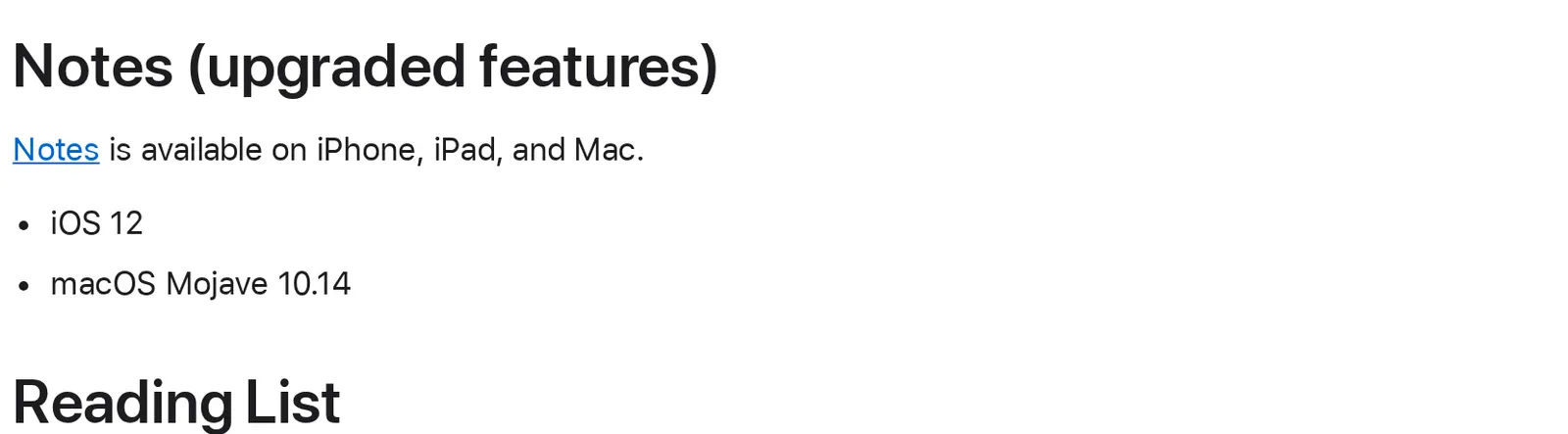 Apple’s System requirements for iCloud page on 7 November 2026. Source: support.apple.com
So the Apple route on Android is Notes on iCloud.com in a browser. Apple’s guide to it lists creating notes and lists, folders, search, viewing locked notes, and sharing notes and folders. On a phone, you’ll hit its limits quickly:
- Only iCloud notes show. Notes kept on the iPhone itself, or in another account, stay where they are.
- Attachments are added on Apple devices. You can view and download them on the web, but you attach them in Notes on an iPhone, iPad or Mac.
If you’ll mostly write on the iPhone and only read on Android now and then, iCloud.com in a browser tab is enough. If Android is going to be your main phone, it isn’t.
Leaving the iPhone, or keeping both?
Keeping both phones (a work Android and a personal iPhone, say) needs an app that syncs on both by itself. With Keep, OneNote and Simplenote, your notes live in that company’s cloud and you sign in on each phone; with Obsidian, you pay for its Sync or set up your own.
Leaving the iPhone is a one-time move. You need to get the notes out of Apple Notes, then into whatever you pick. Google’s switch page lists Notes among what it can bring from an iPhone, by cable, or wirelessly on select phones running Android 17, but doesn’t say which app they land in, so check that your notes arrived before you reset the iPhone.
For a clean copy you control, export. On the iPhone, open a note, tap the Share button, then Export as Markdown (iPhone User Guide). That’s one note at a time. My guide to exporting Apple Notes to Markdown covers ways to export a whole library on a Mac, and what breaks.
The export is a folder of .md files. Obsidian and VB Notes open it as it is, and Simplenote’s desktop app can import Markdown files (on a Mac, only the version from its website, not the Mac App Store one). Keep and OneNote suit a small library you move by hand, or a fresh start.
Apple Notes alternatives for Android compared
Prices were checked on 7 November 2026 and are US prices.
| App | Runs on | Notes are kept | Sync | Cost |
|---|---|---|---|---|
| Google Keep | Android, iPhone, web | In your Google account | Google’s own | Free |
| OneNote | Android, iPhone, Mac, Windows, web | In Microsoft’s cloud | Microsoft’s own | Free, Microsoft 365 optional |
| Simplenote | Android, iPhone, Mac, Windows, Linux, web | In Simplenote’s cloud | Its own | Free |
| Obsidian | Android, iPhone, Mac, Windows, Linux | Plain Markdown files | Obsidian Sync, or your own | Free, Sync $4 a month yearly |
| Samsung Notes | Android, Galaxy Book PCs | Samsung Cloud | Samsung account | Free |
| VB Notes | Android, iPhone, Mac, Windows, Linux | Plain Markdown files | A sync app you choose | Free |
Google Keep: the closest to Apple Notes’ quick lists
If most of your Apple Notes are shopping lists and quick jots, Google Keep is the easiest move. It’s free on both phones and on the web, with notes and lists that hold photos and audio, labels and colours, reminders by time or place, and lists you can share and edit with someone else in real time.
That last part is something no file-based app here does. If you share a grocery list with a partner on an iPhone, Keep carries it across both phones. It’s built for short notes and lists rather than long, formatted documents.
OneNote: free, and good with long notes
Microsoft says all supported versions of OneNote are free to download and use, with apps on Google Play and the App Store. The phone apps view, edit and sync notebooks kept in the cloud.
It’s the pick if your Apple Notes are long and structured, or if you already use Microsoft 365 at work. Its notebook, section and page layout is a different shape from Apple Notes’ folders, so expect to reorganise as you move.
Simplenote: the plain, free one
Simplenote runs on Android, iOS, Mac, Windows, Linux and the web, and says apps, backups, syncing and sharing are all free. It has tags, instant search, and Markdown you can write and preview.
It’s text, though: its help page says nothing but text can be added to a note, so photos and drawings in your Apple Notes won’t come with you. Pick it if your notes are words and you want the lightest app that’s the same on both phones.
Obsidian: plain files, with paid sync between phones
Obsidian runs on Android, iOS, Windows, Mac and Linux, and its pricing page says it’s free without limits, with no sign-up. Notes are Markdown files in a folder, so an Apple Notes export opens in it directly.
The catch is getting the same notes onto an iPhone and an Android phone. Obsidian’s sync guide says iCloud syncs vaults between iOS and macOS, lists Google Drive for Android with limited functionality on iOS, and points Android users to Syncthing-Fork because the official Syncthing Android app is no longer maintained. Obsidian Sync works on all of them, for $4 a month billed yearly or $5 monthly. If you keep both phones and want plain files, that’s the clean answer.
Samsung Notes: if you’ve moved to a Galaxy
If your new phone is a Galaxy, Samsung Notes is Samsung’s own app. Its Google Play listing describes creating and editing documents on phone, tablet or PC and working with others, with S Pen annotation on PDFs. Samsung’s Smart Switch, which moves data from an iPhone, lists memos among what it transfers; as with Google’s tool, check that your notes arrived.
Syncing Samsung Notes with OneNote has ended, and Samsung now points you to Samsung Cloud instead (Samsung support). Older guides that tell you to link the two are out of date.
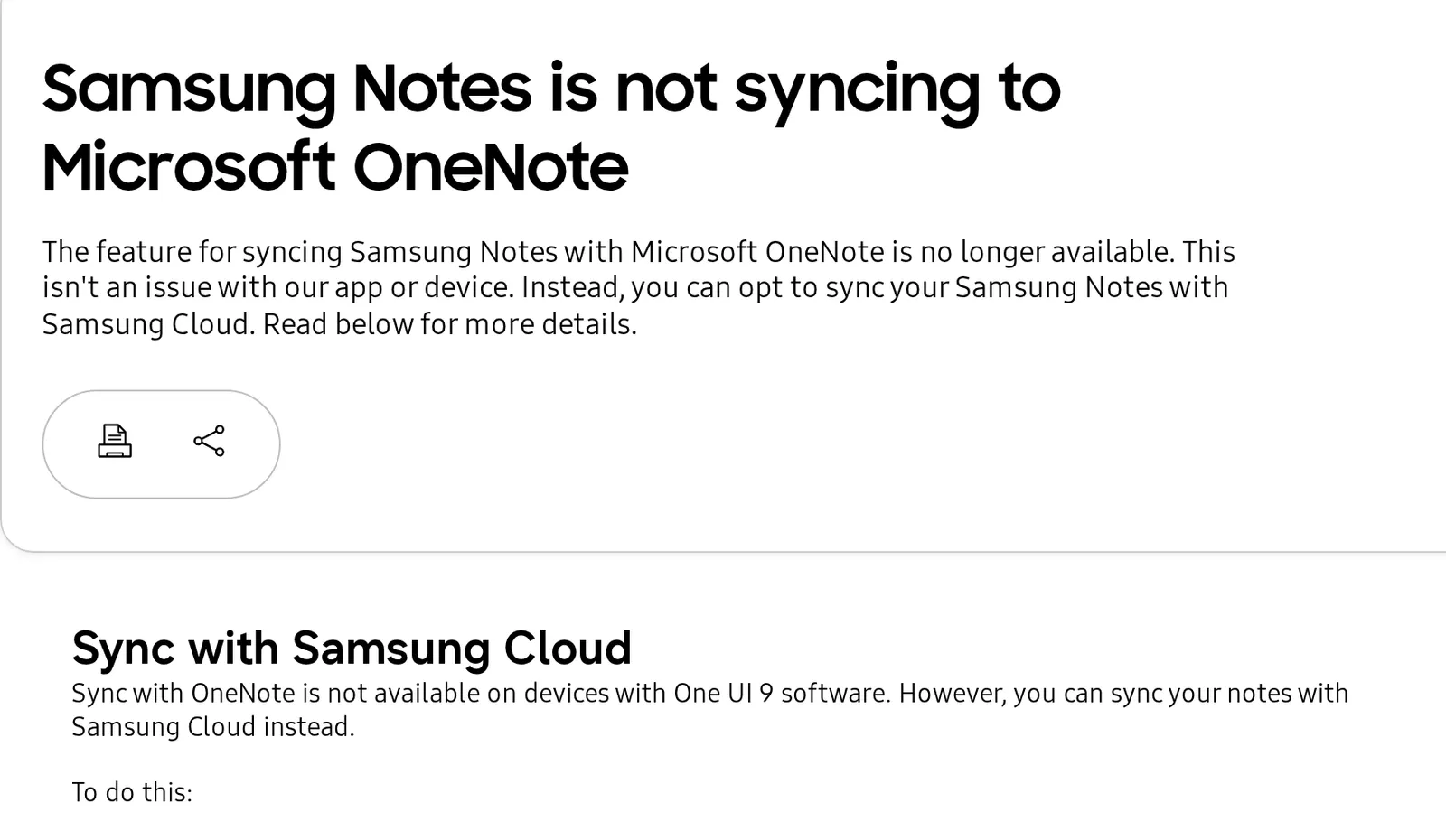 Samsung’s US support page on 7 November 2026. Source: samsung.com
The PC app is, in Samsung’s words, “optimized for Samsung Galaxy Books only” and “may not be compatible with other Windows computers” (Samsung support). If your computer isn’t a Galaxy Book, plan on reading your notes on the phone.
VB Notes: your exported notes, as files
VB Notes fits the case where you’re leaving the iPhone and want your notes as files you own. Export your Apple Notes to Markdown, put the folder in Google Drive, Dropbox or OneDrive, and a sync app such as FolderSync keeps a copy on the phone. Point VB Notes on Google Play at that folder and the notes are there, with nothing to import and no account to make. The Android sync guide has the steps, or use Syncthing to copy the folder straight from your computer over Wi-Fi.
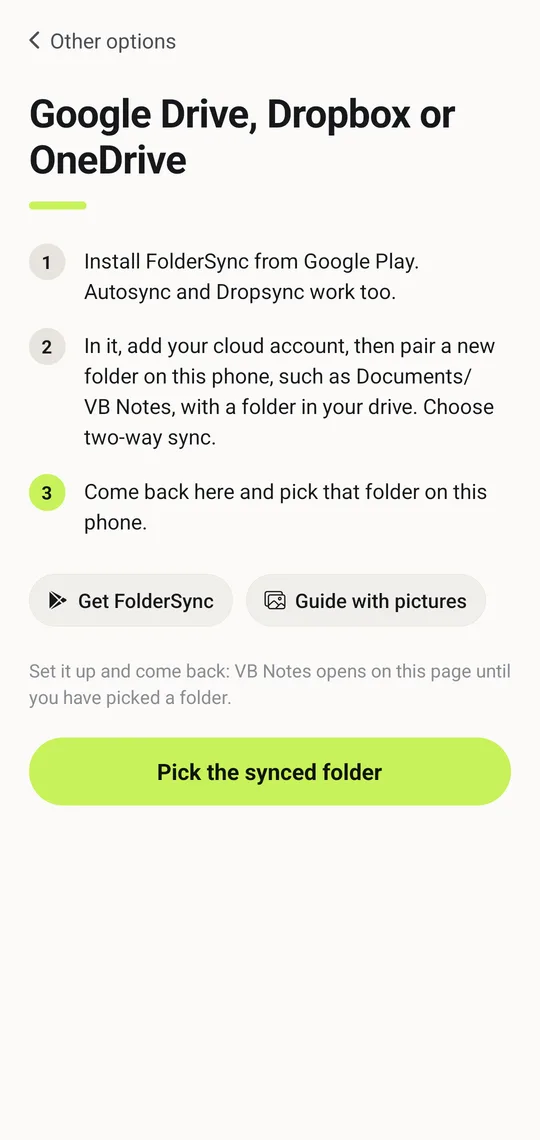 VB Notes guiding sync on Android. Source: VB Notes docs
If your Apple Notes are full of lists, checklists in VB Notes tick with one tap and are saved as plain Markdown (- [x]) in the file, so any other Markdown app can still read them. It’s free, with no ads.
Keeping both phones is harder with it, and I’d rather say so. On the iPhone, VB Notes can use iCloud Drive or a folder on the phone, but not Google Drive or Dropbox, and Apple lists iCloud Drive for iPhone, iPad, Mac and PC, not Android. Sharing one folder between the two means a computer in the middle, keeping iCloud Drive and a sync app in step. That’s a workaround, not a setup I’d give a non-technical friend. It also has no sharing, no drawing or scanning, no reminders and no web app.
FAQ
Can you get Apple Notes on Android?
No. Apple lists Notes for iPhone, iPad and Mac only. You can open Notes on iCloud.com in an Android browser, though Apple says only some Android devices can use iCloud.com.
What is the best free Apple Notes alternative for Android?
Google Keep for quick notes and shared lists, OneNote for long notes, and Simplenote for plain text, all free with sync on both Android and iPhone. If you want your notes as files, Obsidian and VB Notes are free too.
What is the most Apple Notes like app for Android?
Google Keep, for quick notes, lists and reminders by time or place, with a web version for your computer. For long notes in notebooks, OneNote is closer.
How do I move my notes from iPhone to Android?
Google’s switch tool lists Notes among what it moves, but check they arrived before resetting the iPhone. For a copy you control, export the notes as Markdown and open the folder in a Markdown app on Android.
Which one to pick
If you share lists with someone on an iPhone, stay in a cloud app, and Keep is the easy one. If you’re on a Galaxy and never use a PC, Samsung Notes keeps things simple. If you’re leaving Apple for good and want notes that no company holds, export once and open the folder in VB Notes or Obsidian, then try it for a week before you delete anything.