
Apple Notes Alternative for Windows: 6 Apps That Sync
Disclosure: VB Notes is my app. I’ve tried to be fair, and I say where the others are the better choice.
Apple Notes has no Windows app, and iCloud for Windows doesn’t add one, so the only Apple route is Notes on iCloud.com in a browser. If you want a real Apple Notes alternative for Windows that still works with your iPhone, OneNote and Simplenote are the free picks with their own sync, Joplin syncs free through OneDrive or Dropbox, Obsidian is the free pick if you want plain files, and UpNote is the closest in feel for $39.99 once. VB Notes, my app, is free and keeps notes as files in iCloud Drive, which iCloud for Windows does sync, so your iPhone and PC read the same notes.
Can you get Apple Notes on Windows?
Not as an app. Apple’s own list of what iCloud for Windows does covers Photos and Shared Albums, iCloud Drive, Calendars and Contacts in Outlook, Passwords and Bookmarks. Notes isn’t on it.
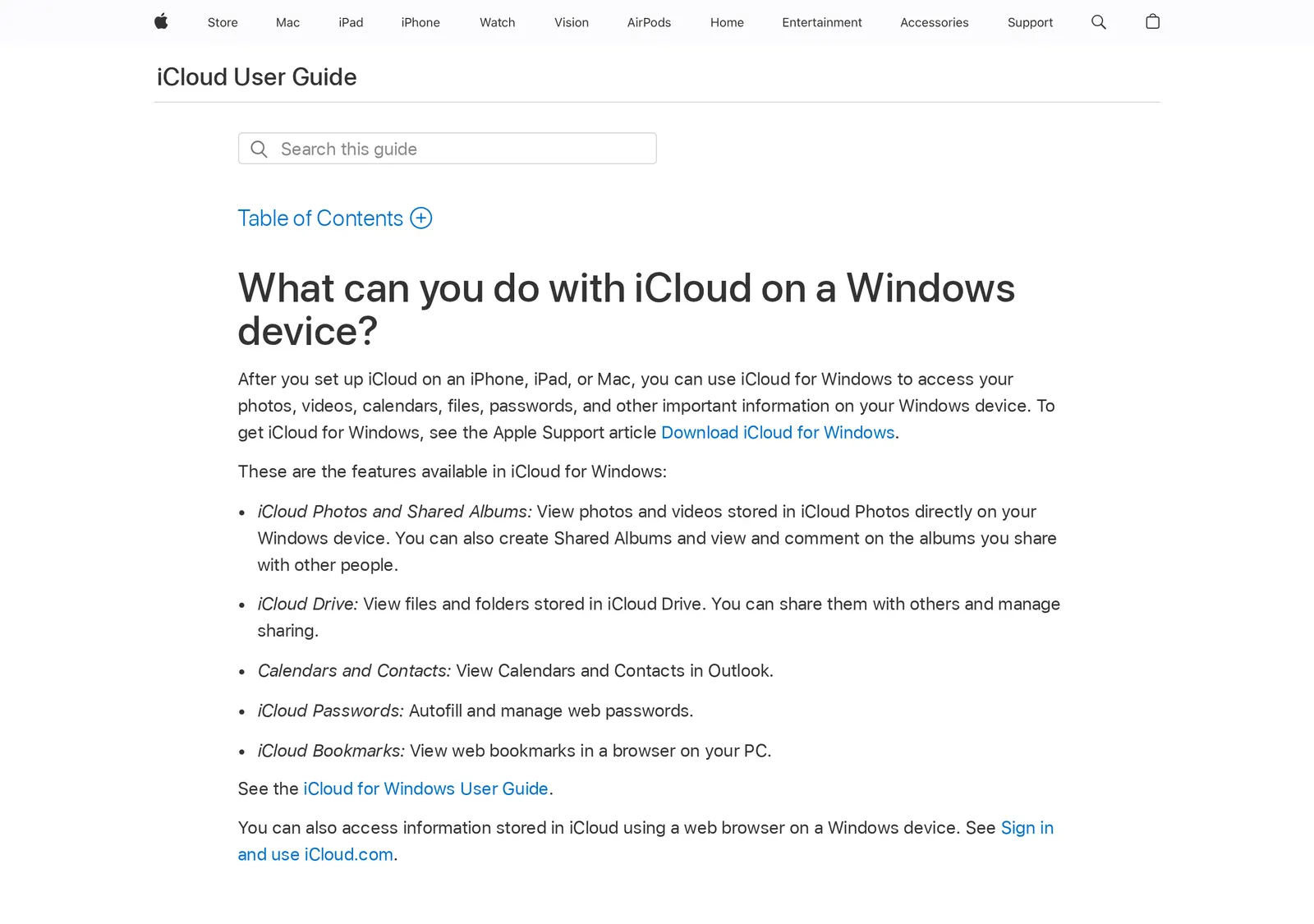 Apple’s iCloud User Guide page on iCloud for Windows on 6 November 2026. Source: support.apple.com
What you get instead is Notes on iCloud.com. Apple’s guide to it lists creating notes and lists, folders, search, viewing locked notes, downloading attachments, and sharing notes and folders. It’s a decent way to read a note at a borrowed PC.
It has limits you’ll hit if Windows is your main computer:
- Only iCloud notes show. Apple says you can only use it with notes stored in iCloud, so anything in “On My iPhone” stays on the phone.
- Attachments come from your Apple devices. You attach items in the Notes app on an iPhone, iPad or Mac, then view or download them on the web.
- Advanced Data Protection switches it off. If you’ve turned that on, web access to iCloud.com turns off automatically. You can allow it again from a trusted device: for the next hour, that device approves each new kind of data you open on the web, and after that you approve again.
- It’s a website. You work in a browser tab, not a Windows app.
If those don’t bother you, stay with Apple Notes and use the web. If they do, you need a different app on both the iPhone and the PC.
Apple Notes alternatives for Windows compared
Every app here has a Windows app and an iPhone app. Prices were checked on 6 November 2026 and are US prices, except Joplin’s, which it lists in euros.
| App | Notes are kept | Sync between iPhone and PC | Free plan | Paid |
|---|---|---|---|---|
| OneNote | In Microsoft’s cloud, or locally on the PC | Microsoft account | Free to use | Microsoft 365 optional |
| Simplenote | In Simplenote’s cloud | Its own, free | Everything | None |
| Obsidian | Plain Markdown files | Obsidian Sync, or your own | Everything | Sync $4 a month yearly, $5 monthly |
| Joplin | In its own database | Dropbox, OneDrive or Joplin Cloud | Everything | Joplin Cloud from 2.99€ a month |
| UpNote | In UpNote’s cloud, on Firebase | Its own | 50 notes | $1.99 a month or $39.99 once |
| VB Notes | Plain Markdown files | iCloud Drive | Everything | None |
OneNote: free, and already on many PCs
Microsoft says all supported versions of OneNote are free to download and use, and that the desktop app is the only version that can keep a notebook on the PC itself. The iPhone app is free too, and you sign in with a Microsoft account; Microsoft 365 plans are offered inside it but aren’t needed.
The iPhone app is a 434 MB download. Pick it if you already live in Microsoft 365 and want your notes next to your Office files.
Simplenote: the plainest free option
Simplenote runs on iOS, Android, Mac, Windows, Linux and the web, and says apps, backups, syncing and sharing are all free. You can write, preview and publish notes in Markdown.
It suits Apple Notes’ quick-jot habit more than its rich notes. Pick it if your notes are mostly text and you want the same list on the iPhone and the PC with nothing to pay.
Obsidian: plain files, with paid or DIY sync
Obsidian has apps for Windows, iOS, Android, Mac and Linux, and its pricing page says it’s free without limits, with no sign-up. It stores notes as Markdown files in a vault folder, so they’re never stuck inside the app.
Getting them from a PC to an iPhone is the hard part. Obsidian Sync costs $4 a month billed yearly, or $5 monthly, and it’s the easy answer. The free answer, iCloud Drive, comes with a warning on Obsidian’s sync page: “iCloud Drive on Windows may lead to file duplication or corruption.” Pick Obsidian if you want plain files and are happy to pay for sync.
Joplin: free sync through storage you already have
Joplin is open source, with apps for Windows, Mac, Linux, Android and iOS. The iPhone app is free, works offline, and syncs through Joplin Cloud, Dropbox or OneDrive. If you already use OneDrive, it can carry your notes between the PC and the iPhone at no extra cost.
Joplin Cloud costs 2.99€ a month, or 28.69€ a year (Joplin plans). Notes are kept in a SQLite database rather than as files, and the app feels more like a tool than a notebook. Pick it if you want free sync without iCloud.
UpNote: a polished app with its own sync
UpNote has apps for Mac, Windows, Linux, iOS and Android, and a web clipper for Chrome, Safari and Firefox. The free plan stops at 50 notes. Premium is $1.99 a month or $39.99 once.
Your notes live in UpNote’s cloud. Its FAQ says data is stored and synced through Firebase, a Google service, on servers in the United States, without end-to-end encryption. You can’t upgrade from Windows yet, so you buy Premium on the iPhone and it carries over. For more on leaving it later, see my UpNote alternatives post.
VB Notes: keep iCloud, get a Windows app
If you like iCloud and just want an app on the PC, this is the route I built VB Notes for. It’s free, with no account, and every note is a plain .md file in a folder you choose. Put that folder in iCloud Drive and the iPhone and Windows apps open the same files, offline, with nothing to sign up for.
Setting it up takes four steps:
- On the iPhone, install VB Notes from the App Store and choose iCloud Drive when it asks where notes live. It makes a VB Notes folder there.
- On the PC, get iCloud for Windows from the Microsoft Store (the latest version needs Windows 11), open it and turn on iCloud Drive.
- In File Explorer, click iCloud Drive in the navigation pane, right-click the VB Notes folder and choose “Always keep on this device” so every note stays downloaded.
- Install the desktop app and, when it asks where your notes live, choose that folder.
By default the folder sits in C:\Users\[user name]\iCloud Drive, and Apple’s setup page says files under 1 MB download on their own, which covers most text notes. The same steps work for an Obsidian vault kept in iCloud Drive, with the same warning below.
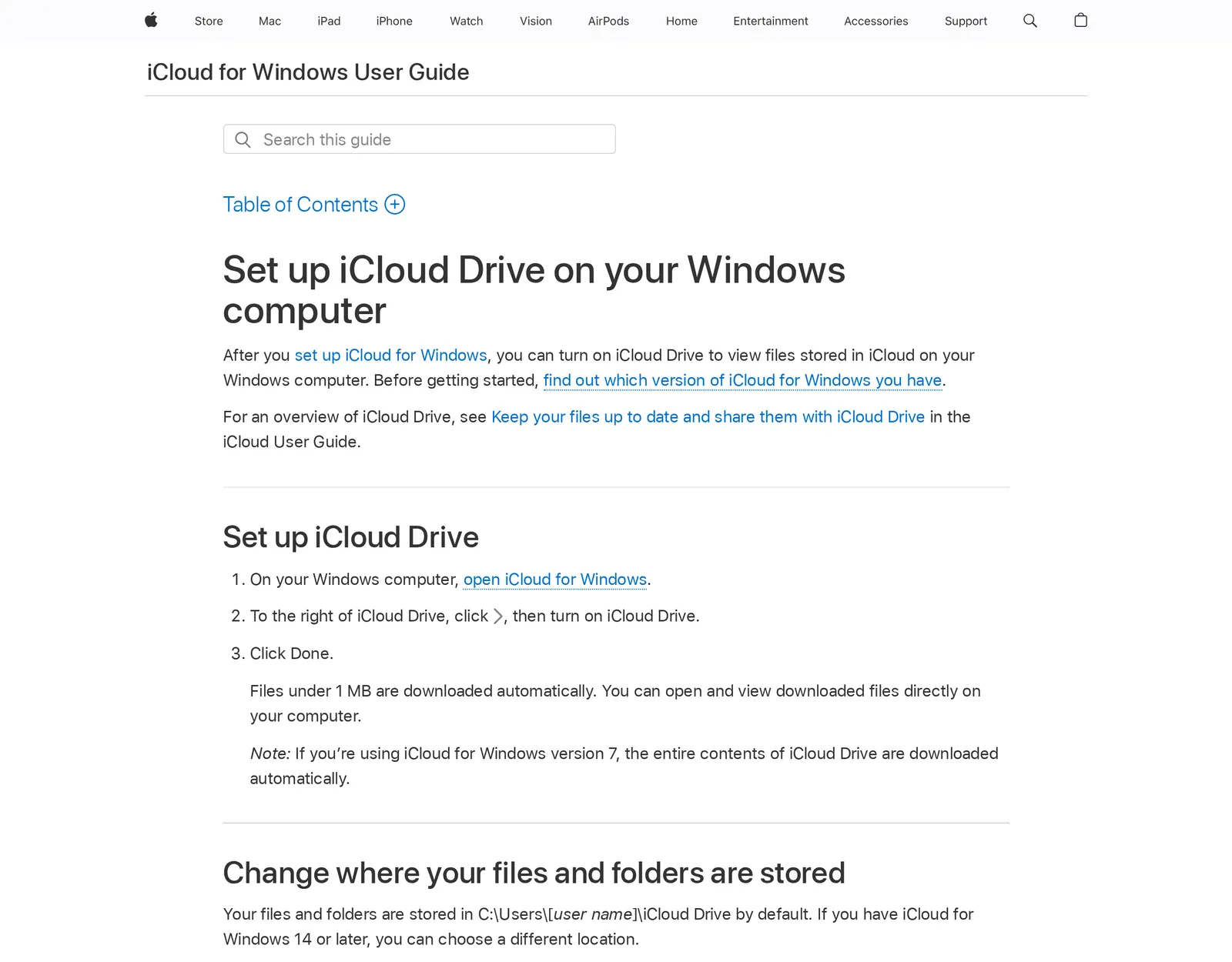 Apple’s iCloud for Windows guide on 6 November 2026. Source: support.apple.com
The Windows installer for version 0.4.12 is 5.22 MB (GitHub releases).
Obsidian’s warning about iCloud Drive on Windows is about iCloud, not Obsidian, so it applies to my app as much as theirs. Keep the folder pinned, and let a note sync before you edit it on the other device.
What it lacks next to Apple Notes: no sharing or collaboration, no drawing, handwriting or document scanning, no reminders, no locked notes or encryption of its own, and no web app. It’s built by one person.
Moving your Apple Notes across
None of these apps can read Apple Notes directly, so export first. My guide to exporting Apple Notes to Markdown covers the built-in export and two tools for a whole library. Apple’s guide to Notes on iCloud.com lists no export, so you’ll need an iPhone or a Mac for this step.
Once you have a folder of .md files, drag it onto the list of notes in VB Notes on the desktop. The notes are copied in with the pictures they show, and stay plain files.
FAQ
Can you get Apple Notes on Windows?
There’s no Apple Notes app for Windows. You can use Notes on iCloud.com in a browser, which shows notes stored in iCloud and lets you create, edit, search and share them.
Does iCloud for Windows sync Apple Notes?
No. Apple lists Photos, iCloud Drive, Calendars and Contacts, Passwords and Bookmarks as its features. It does sync iCloud Drive files, which is why apps that keep notes as files can use it.
What is the best free Apple Notes alternative for Windows?
OneNote and Simplenote are free with their own sync on the iPhone and the PC, and Joplin is free if you sync through OneDrive or Dropbox. Obsidian and VB Notes are free and keep plain files, with VB Notes syncing through iCloud Drive at no cost.
Is there an Apple Notes alternative that is cross platform?
All six here run on Windows, iPhone and Android. OneNote’s Android app is on Google Play, as Microsoft notes. With VB Notes, an Android phone reaches the folder through a sync app such as Syncthing rather than iCloud.
When to stay with Apple Notes
If you’re on Windows only now and then, iCloud.com is enough, and you lose nothing. If you share notes with family or draw in them, stay with Apple Notes: none of the file-based apps here replace that. If you want a real app on the PC and your notes as files, try one exported folder in VB Notes or Obsidian before you move everything.