
Bear App Alternative for Windows: 5 Apps for PC and iPhone
Disclosure: VB Notes is my app. I’ve tried to be fair, and I say where the others are the better choice.
Bear has no Windows app and no plans for one, so the closest you’ll get to Bear itself is Bear Web, a browser version still in public beta. For a Bear app alternative for Windows that you install, Obsidian is the safe default, UpNote looks the most like Bear, and VB Notes, which I built, copies Bear’s editor and nested tags on plain Markdown files, for free. If you also carry an iPhone, pick by how notes get from one to the other. That matters more than the editor.
Bear notes for Windows: only Bear Web
Not as an app. Bear’s own FAQ says Shiny Frog has no plans for Android or Windows, and points Windows users to Bear Web instead, which “lets you access your notes from any web browser.”
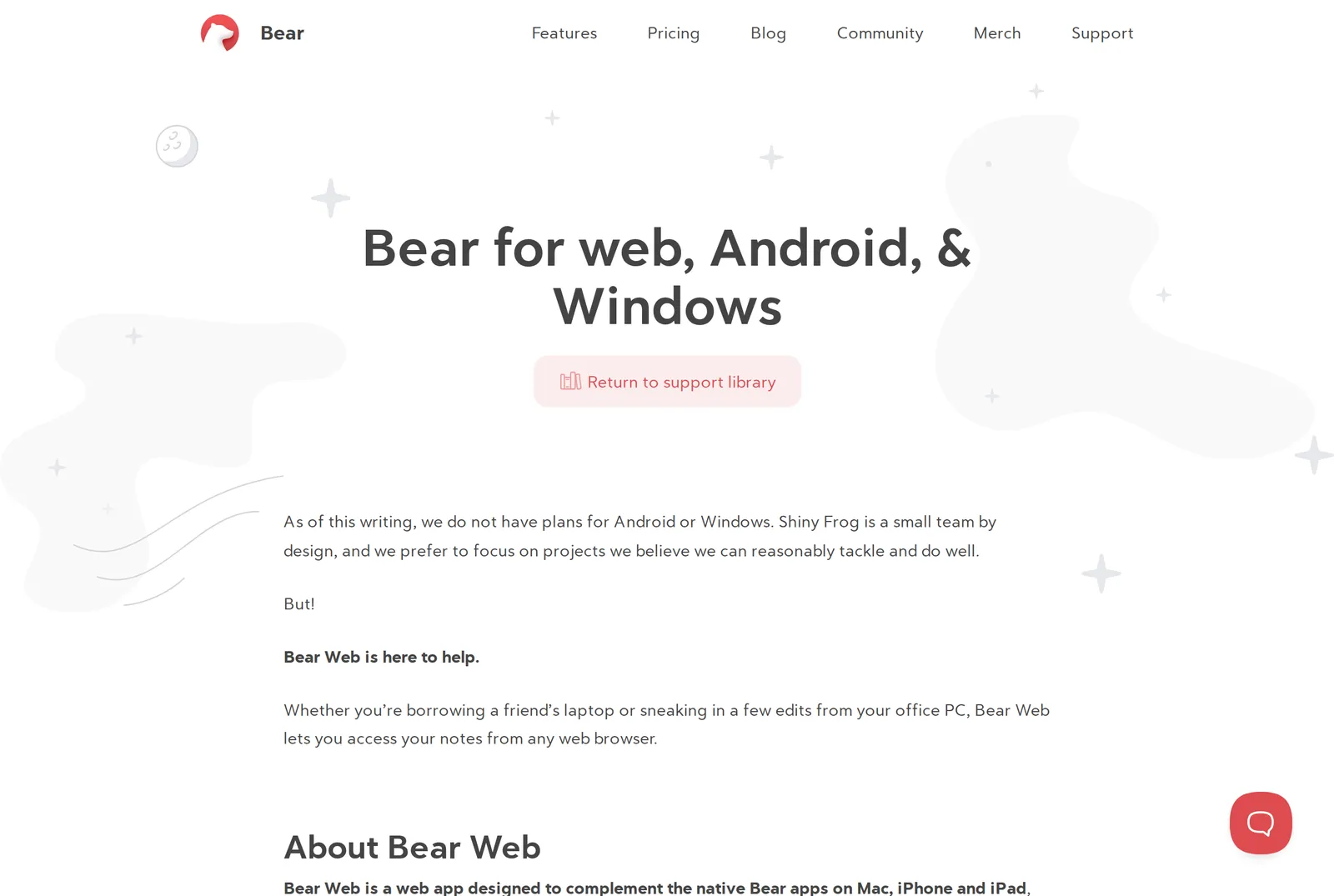 Bear’s FAQ on web, Android and Windows on 4 November 2026. Source: bear.app
The same FAQ lists the catches. Bear Web syncs through iCloud, it won’t work with Apple’s Advanced Data Protection turned on, and TagCons and encryption are still in development. It’s meant to complement the Mac, iPhone and iPad apps, not to stand alone. You sign in at web.bear.app with your Apple ID, and the beta announcement of July 2025 asked people not to use it for critical work.
Pro matters here. The beta is free on its own, but syncing with the native apps needs Pro, which is $2.99 a month or $29.99 a year on Bear’s site. So a Windows laptop plus an iPhone means paying for Pro, and the FAQ says Pro will be required for Bear Web itself once it leaves beta. Bear’s tenth birthday post on 3 November 2026 says the full release of Bear Web “is almost here.”
You may also see “Bear for Windows” downloads. WebCatalog’s version is a window around the web app, and its own page says it isn’t affiliated with Bear.
Bear app alternatives for Windows compared
Every app below runs on Windows. The columns are what a Bear user notices: the editor, tags you can nest like #recipes/italian, where the notes live and how they reach an iPhone. Prices were checked on 4 November 2026 and are US prices unless marked.
| App | iPhone app | Editor | Nested tags | Notes are | Windows to iPhone | Cost |
|---|---|---|---|---|---|---|
| Bear Web | Bear itself | Bear’s, with fewer features | Bear’s, TagCons to come | In Bear, on iCloud | iCloud, needs Pro | Beta free, Pro $29.99 a year |
| Obsidian | Yes, free | Live Preview | Yes, #a/b |
Plain .md files |
Obsidian Sync | Free, Sync from $4 a month |
| UpNote | Yes | Rich text, Markdown support | Nested notebooks, hashtags | In UpNote’s cloud | Its own sync | 50 notes free, $1.99 a month or $39.99 once |
| Joplin | Yes, free | Markdown or Rich Text | No | A SQLite database | OneDrive, Dropbox, Joplin Cloud | Free, Cloud from 2.99€ a month |
| Typora | No | Live preview | None listed | Plain .md files |
You choose | $14.99 once |
| VB Notes | Yes, free | Bear-style, formats as you type | Yes, #a/b |
Plain .md files |
iCloud Drive | Free |
The hard part: getting notes from Windows to your iPhone
Apps with their own sync have it easy. UpNote, Joplin and Bear Web each carry your notes across for you. Apps that keep plain files leave it to whichever folder you put them in, and on an iPhone that usually means iCloud Drive.
On Windows, that folder comes from iCloud for Windows, which Apple offers through the Microsoft Store and whose latest version needs Windows 11. Its iCloud Drive then shows in File Explorer’s navigation pane, and right-clicking a folder and choosing “Always keep on this device” keeps it downloaded.
Obsidian’s help is blunt about this route: “iCloud Drive on Windows may lead to file duplication or corruption.” It also says OneDrive and Google Drive aren’t officially supported for vaults on iOS, and it calls its own paid Obsidian Sync the most straightforward, officially supported method (Obsidian help).
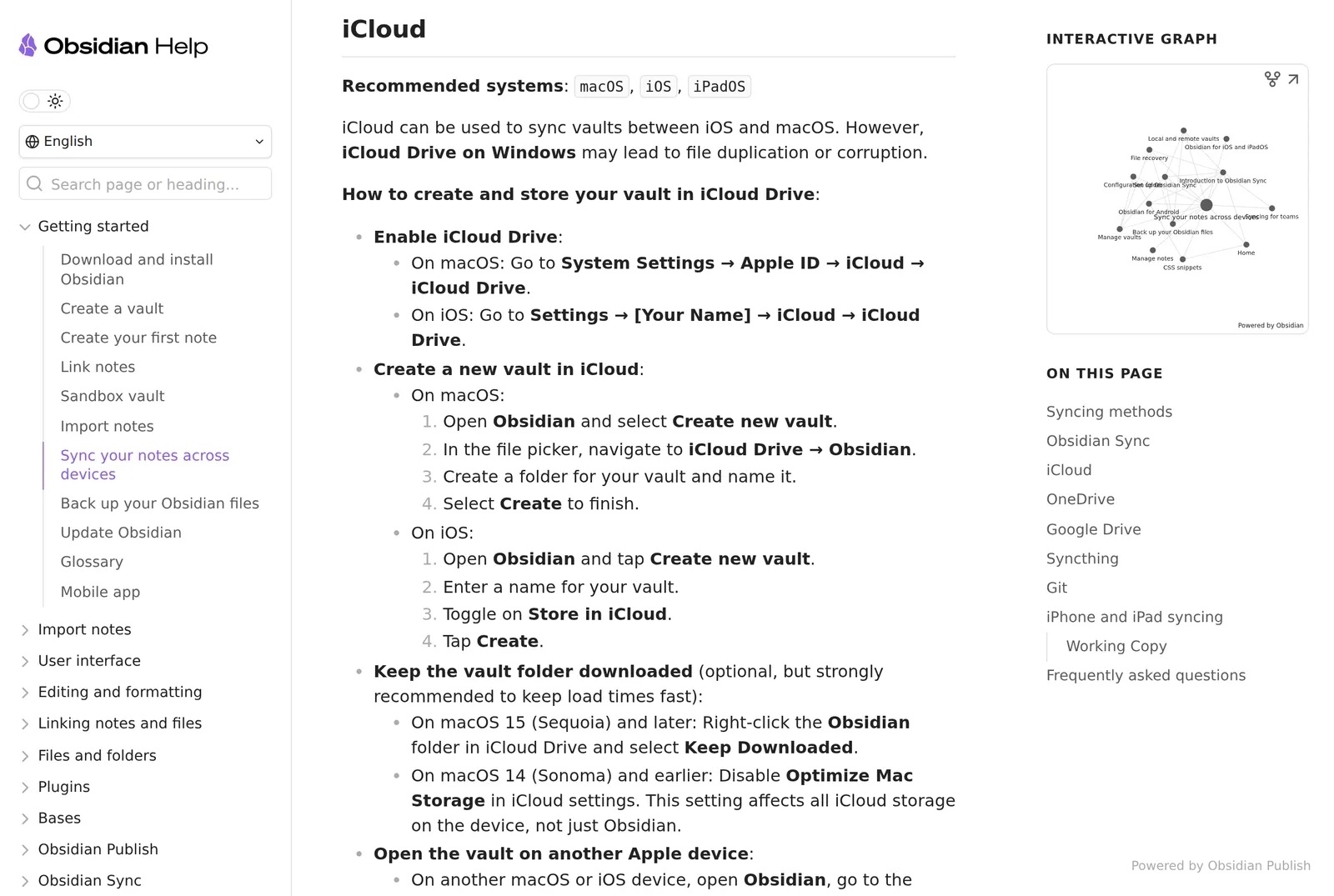 The iCloud section of Obsidian’s sync guide on 4 November 2026. Source: obsidian.md
That warning is about iCloud for Windows, not about Obsidian, so it applies to any app keeping files there, mine included. Keep the folder downloaded, and don’t edit the same note on both devices before one has synced.
Obsidian: the safe default
Obsidian is free without limits and needs no sign-up. Its default editing view is Live Preview, which shows formatting inline and hides most Markdown syntax, close to how Bear feels. Tags nest with a slash, as in Bear: #inbox/to-read.
The iPhone app is free too and works on a local folder of plain Markdown files, so your notes stay readable by any other app. For Windows and iPhone, budget for Obsidian Sync at $4 a month billed annually, or $5 monthly. To my eye it’s a toolkit first and a notes app second, which is the opposite of Bear.
UpNote: the closest look, but not files
UpNote is on the Microsoft Store, and its site lists Mac, Windows, Linux, iOS and Android, with hashtags, nested notebooks and Markdown support in a rich text editor. The free plan stops at 50 notes. Premium is $1.99 a month or $39.99 for a lifetime licence, bought on iPhone, Android or Mac and carried to Windows when you sign in.
Sync is the easy part, and also the trade. UpNote’s FAQ says it stores and syncs through Firebase, a Google service, on servers in the United States, and that iCloud sync isn’t supported. Your notes aren’t files you can open elsewhere, though the site says you can export them to Markdown.
Joplin: OneDrive that works on both sides
Joplin does its own syncing, so it can use services the plain-file apps can’t on an iPhone. Its sync page lists Joplin Cloud, Nextcloud, S3, WebDAV, Dropbox, OneDrive and a local folder. The iPhone app is free, and paid Joplin Cloud starts at 2.99€ a month or 28.69€ a year on its plans page, which prices in euros.
Its Rich Text editor gets close to formatting as you type, on desktop and mobile. What you give up is Bear’s structure. Notes live in a SQLite database, not as files, and nested tags were removed in 2020 over a performance issue.
If open code matters to you as much as Windows does, Joplin is one of several, and my open source Bear alternatives post compares them.
Typora: Bear’s writing feel, no phone
Typora comes closest to Bear’s writing feel of anything here. It hides Markdown symbols as you type, runs on Windows 10 and 11, and costs $14.99 once after a 15-day trial. Its site lists no mobile app, so on its own it can’t follow you to the iPhone. Pair it with a phone app that reads the same folder, and you’re back to the sync question above.
VB Notes: Bear’s editor and tags on Windows and iPhone
This is the case I built VB Notes for. On Windows, the desktop app has a bar of formatting buttons under the note, as in Bear, and Ctrl shortcuts for most of what’s on it. Tags work Bear’s way, with #work/clients nesting under work, and each tag gets a colour and an icon you pick. Links are [[Note title]], the way Bear writes them.
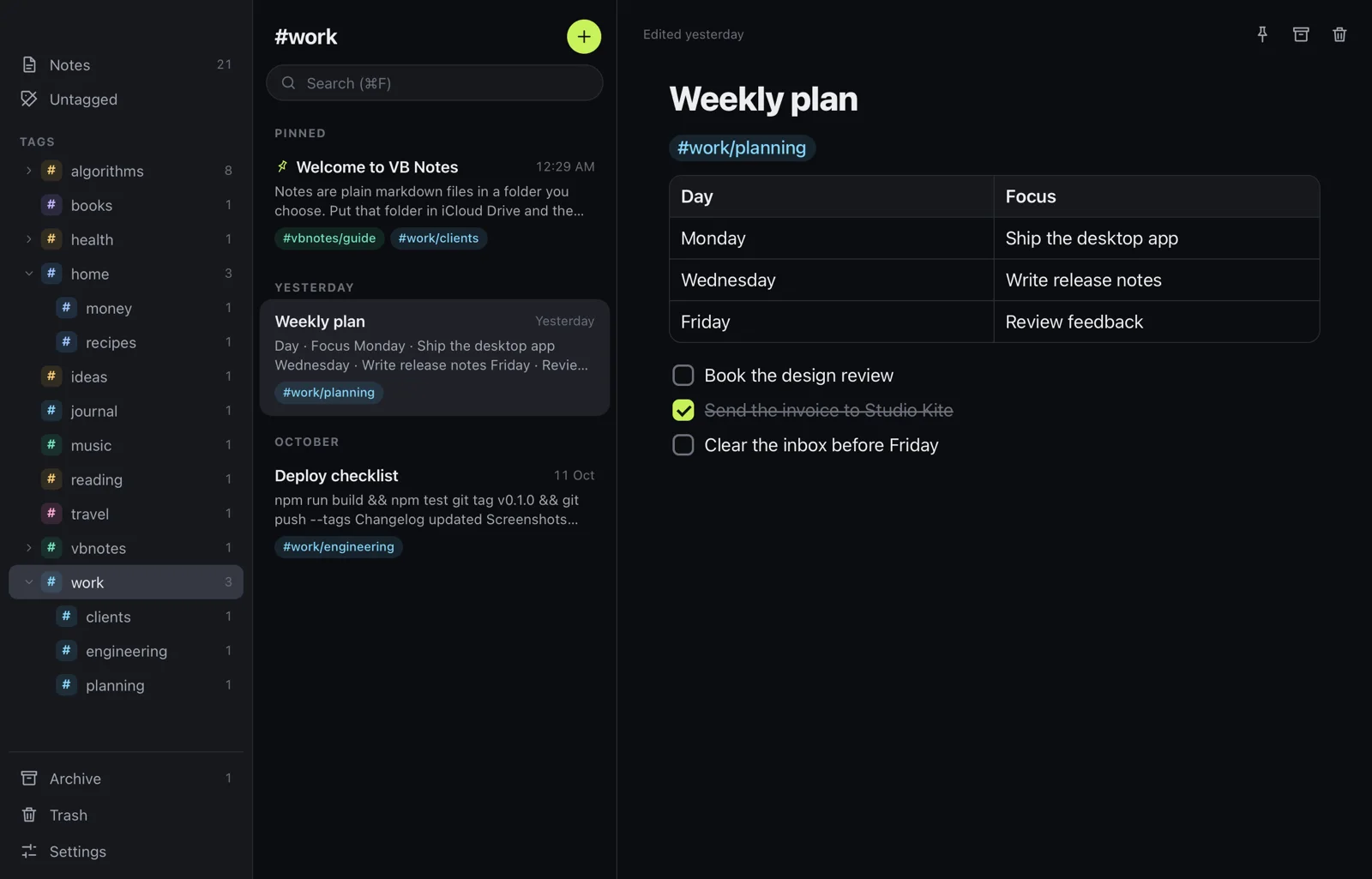 The VB Notes desktop app with nested tags. Source: VB Notes docs
For the iPhone, choose iCloud Drive when the iPhone app asks where notes live. On the PC, install iCloud for Windows and pick the VB Notes folder inside iCloud Drive. Both apps then read the same plain .md files, with no account and nothing to pay. Google Drive and Dropbox folders can’t be picked on iPhone, so iCloud Drive is the route, with the Windows warning above.
Coming from Bear is one export. Markdown export is free in Bear, and on a Mac you can switch on “Keep tags during export” under Bear > Preferences > General. Drag the exported folder onto the list of notes in VB Notes and the notes and their pictures are copied in, with tags still in the text.
Know what’s missing before you move. There’s no web app, no iPad version, no backlinks panel and no encryption of its own. It’s made by one person, and Windows may warn that the installer comes from an unknown publisher.
FAQ
Is there a Bear notes app for Windows?
No. Bear says it has no plans for a Windows app. Bear Web runs in any browser on Windows, in public beta, and syncing it with Bear on your iPhone needs Bear Pro.
Can I use Bear on Windows and iPhone together?
Yes, through Bear Web in a Windows browser, signed in with your Apple ID and with Bear Pro for sync. It won’t work with Advanced Data Protection on, and Bear calls it a companion to its Apple apps rather than a replacement.
What is the best Bear notes alternative for Windows?
Obsidian if you want plain files and the most support, and UpNote if you want Bear’s look and are happy with an account. VB Notes fits if you want Bear’s toolbar and #a/b tags for free on plain files, synced to an iPhone through iCloud Drive.
Is there a Bear notes alternative for Android?
Bear has no plans for Android either. UpNote and Obsidian run there, and VB Notes has an Android build on GitHub rather than Google Play, kept in step with your computer by a sync app.
When to stay with Bear
If you’re on Windows only part of the time, Bear Web with Pro is probably your answer, and its full release sounds close. If your notes have to go through OneDrive, pick Joplin. If you want plain files that outlast any app, start with Obsidian or VB Notes, and move a few notes through iCloud first before you trust it with everything.