
Markdown Checklist Syntax: GitHub, GitLab, Obsidian, Bear
Disclosure: VB Notes is my app. I’ve tried to be fair, and I say where the others are the better choice.
A markdown checklist is a list where each item starts with [ ] for an open task or [x] for a done one, after the list marker and a space: - [ ] Buy milk. Put a space inside the empty brackets, and a space after the closing bracket. It’s an extension from GitHub Flavored Markdown, not part of plain CommonMark, so GitHub, GitLab, Obsidian, Typora and Bear show checkboxes, while VS Code’s built-in preview needs an extension.
- [ ] Book the train
- [x] Renew passport
- [ ] Pack
  - [ ] Charger
  - [x] Adapter
The exact rules, from the GFM spec
The GitHub Flavored Markdown spec defines a task list item as a list item whose first paragraph begins with a marker “and at least one whitespace character before any other content” (GFM spec). The marker is a left bracket, then either a whitespace character or the letter x “in either lowercase or uppercase”, then a right bracket. A space inside means unchecked; anything else, which can only be x or X, means checked.
From that definition:
[ ]works,[]doesn’t. Empty brackets have no character between them, so they aren’t a marker.[x]and[X]both count as done.- [x]Taskfails, because the marker needs whitespace after it.- A bare
[ ] Taskwith no-,*or number in front isn’t a list item, so it isn’t a task.
The spec’s examples show task lists “can be arbitrarily nested”, with the inner items indented under the outer one. And the definition says list item, not bullet, so by the spec’s wording 1. [ ] Task counts as much as - [ ] Task.
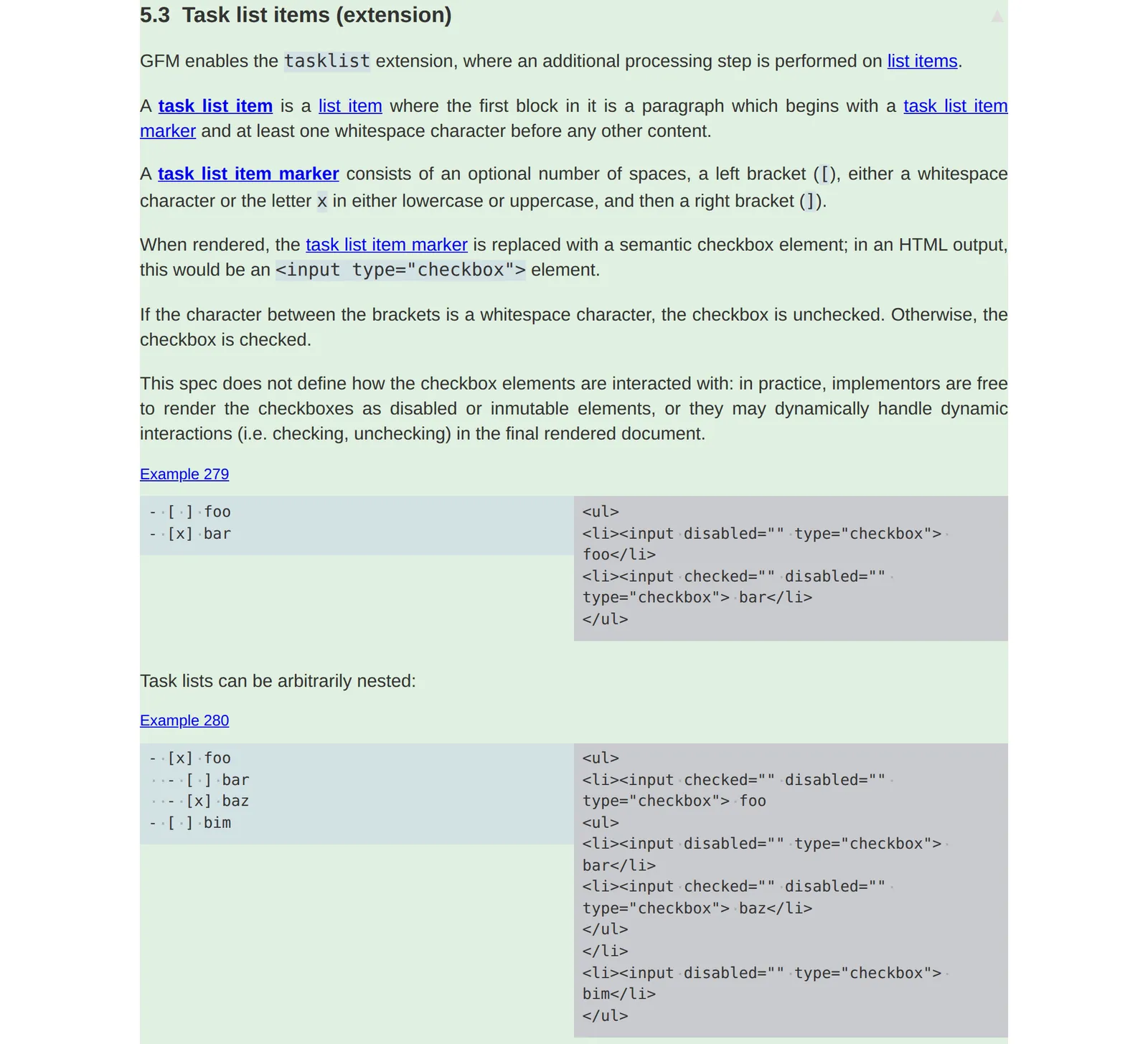 Section 5.3 of the GitHub Flavored Markdown spec, 12 November 2026. Source: github.github.com
The spec also leaves clicking to the app. It “does not define how the checkbox elements are interacted with”, and renderers may draw the boxes as disabled or let you tick them. Its own example output marks every checkbox disabled. That’s why a checklist you can tick in one app is a static picture of boxes in another.
GFM calls itself “a strict superset of CommonMark” and marks task lists as one of its extensions. CommonMark’s own reference covers emphasis, headings, links, images, quotes, lists, rules and code, with no task lists (CommonMark help). A parser that sticks to CommonMark has no checkbox to draw.
Where markdown checklists work
| App | Syntax | Tick by clicking? | Extras |
|---|---|---|---|
| GitHub | - [ ], - [x] |
Yes, in comments | Progress and “convert to issue” in issues |
| GitLab | - [ ], - [x], - [~], numbered too |
Issues, merge requests, epics, comments | Checkbox in a table cell |
| Obsidian | - [ ], any character to finish |
Yes, in Reading view | [?], [-] count as done |
| Typora | - [ ], - [x] |
Yes | |
| Bear | - [ ] and a space, or ⌘T on Mac |
Shown as a todo | Todo button on the formatting bar |
| VS Code preview | Not rendered without an extension | No | Extension adds it |
GitHub
GitHub’s docs say to “preface list items with a hyphen and space followed by [ ]”, and [x] to mark a task done (GitHub Docs). You can write one in any comment, and each task renders “with a clickable checkbox”. You can’t add task list items to closed issues or to issues with linked pull requests.
A checklist in an issue’s body does more. Its progress shows in places such as the repository’s list of issues, a task that references an issue is ticked automatically when that issue closes, and you can turn a task into its own issue from the icon that shows on hover. You can reorder tasks across lists in the same comment, but not between comments.
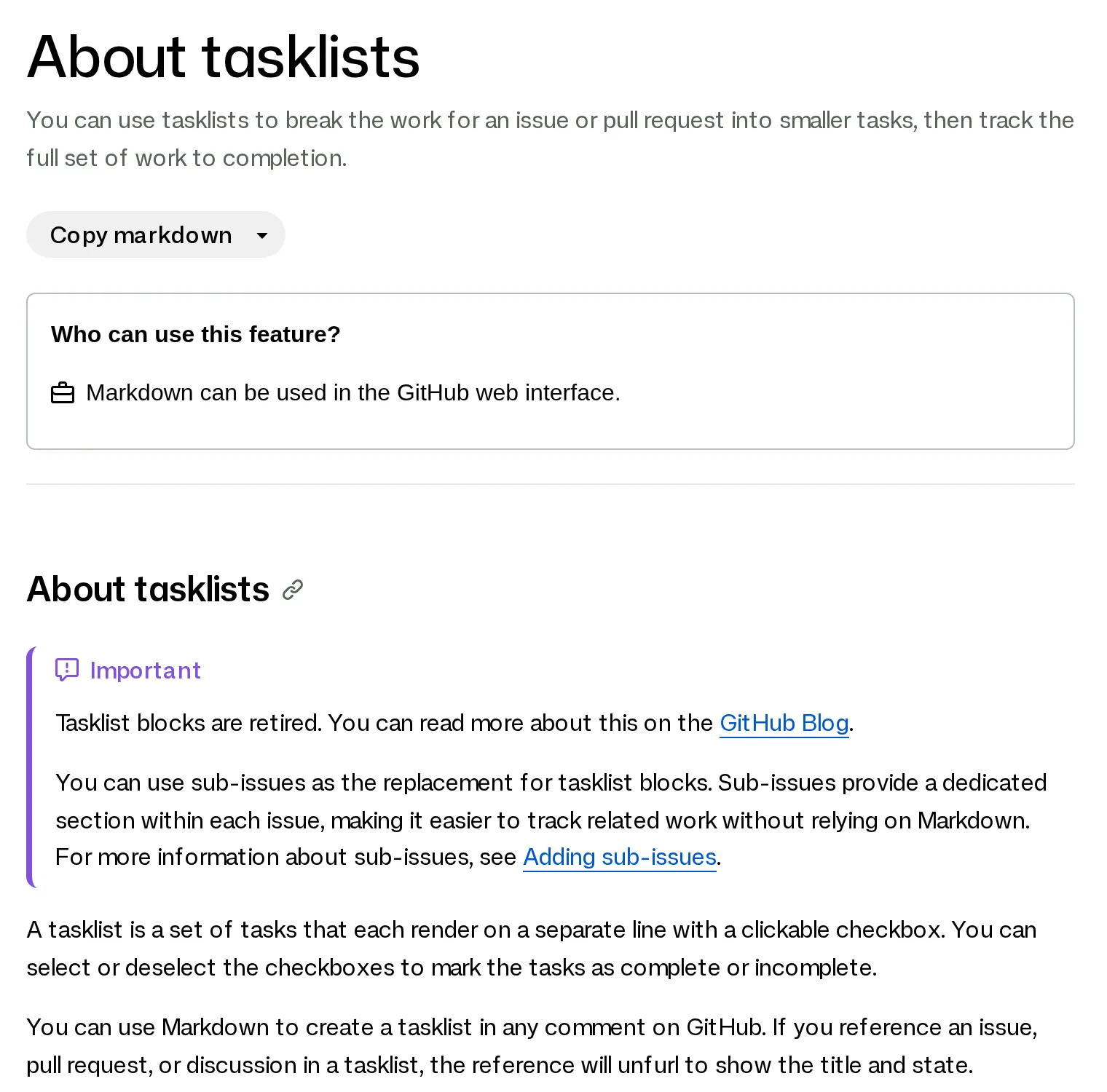 GitHub Docs, About tasklists, 12 November 2026. Source: docs.github.com
If an older guide tells you to use GitHub’s tasklist blocks, skip it. GitHub retired that preview feature on 30 April 2025, converted any remaining blocks to raw Markdown, and made sub-issues the replacement (GitHub changelog). Plain - [ ] lists were a different thing, and GitHub’s docs still describe them with clickable checkboxes.
One GitHub quirk: if a task’s text starts with a parenthesis, escape it with a backslash (GitHub Docs).
- [ ] \(Optional) Open a followup issueGitLab
GitLab has a third state. Besides done and open, a task can be inapplicable, written [~], and lists can be numbered (GitLab docs):
1. [x] Completed task
1. [~] Inapplicable task
1. [ ] Incomplete task
You can tick boxes in issues, merge requests, epics and comments. Everywhere else, such as a file in the repository, you edit the x by hand. Clicking an inapplicable box does nothing.
GitLab 18.9 added checkboxes in table cells, as long as the checkbox is the only thing in the cell. For several tasks in one cell, GitLab’s docs suggest an HTML table with markdown inside it.
| Complete | Task                  |
| -------- | --------------------- |
|   [x]    | Refactor the backend  |
|   [ ]    | Refactor the frontend |
That [~] and the table cell are GitLab’s own. Neither fits the GFM rule above, so my reading is that GitHub won’t draw a checkbox for either; keep them in GitLab.
Obsidian
Obsidian uses the same - [ ] and - [x], and you tick a task “in Reading view by selecting the checkbox” (Obsidian help). Indent items to nest them.
Obsidian is looser than GitHub about the character: “You can use any character inside the brackets to mark it as complete.” Its help shows [?] and [-] next to [x]. So in core Obsidian, - [-] Eggs isn’t a third state, it’s done. And don’t count on [-] outside Obsidian: under the GFM rule above it isn’t a task marker at all.
Typora
Typora’s reference marks items “as either [ ] or [x]”, and you “change the complete/incomplete state by clicking on the checkbox before the item” (Typora support).
Bear
Bear’s cheat sheet lists a todo as - [ ] and a space, with ⌘T as the Mac shortcut, and says Bear uses CommonMark (Bear FAQ). The formatting bar on Mac and the formatting keyboard on iPhone and iPad also have a todo button.
VS Code
VS Code’s docs answer “Does VS Code support GitHub Flavored Markdown?” with “No”: it targets CommonMark through the markdown-it library (VS Code docs). For checkboxes in the built-in preview, install Markdown Checkboxes by Matt Bierner, which “adds checkbox / task list support to VS Code’s built-in markdown preview” (Visual Studio Marketplace).
Writing checklists without typing brackets
Typing - [ ] on a phone keyboard is slow, and that’s most of the friction. In VB Notes the keys over the keyboard write the markdown for you, and you tap a checkbox to tick it; the file keeps plain - [ ] and - [x] lines (writing guide). Since those are the standard lines, Obsidian, Typora or GitHub should show the same list.
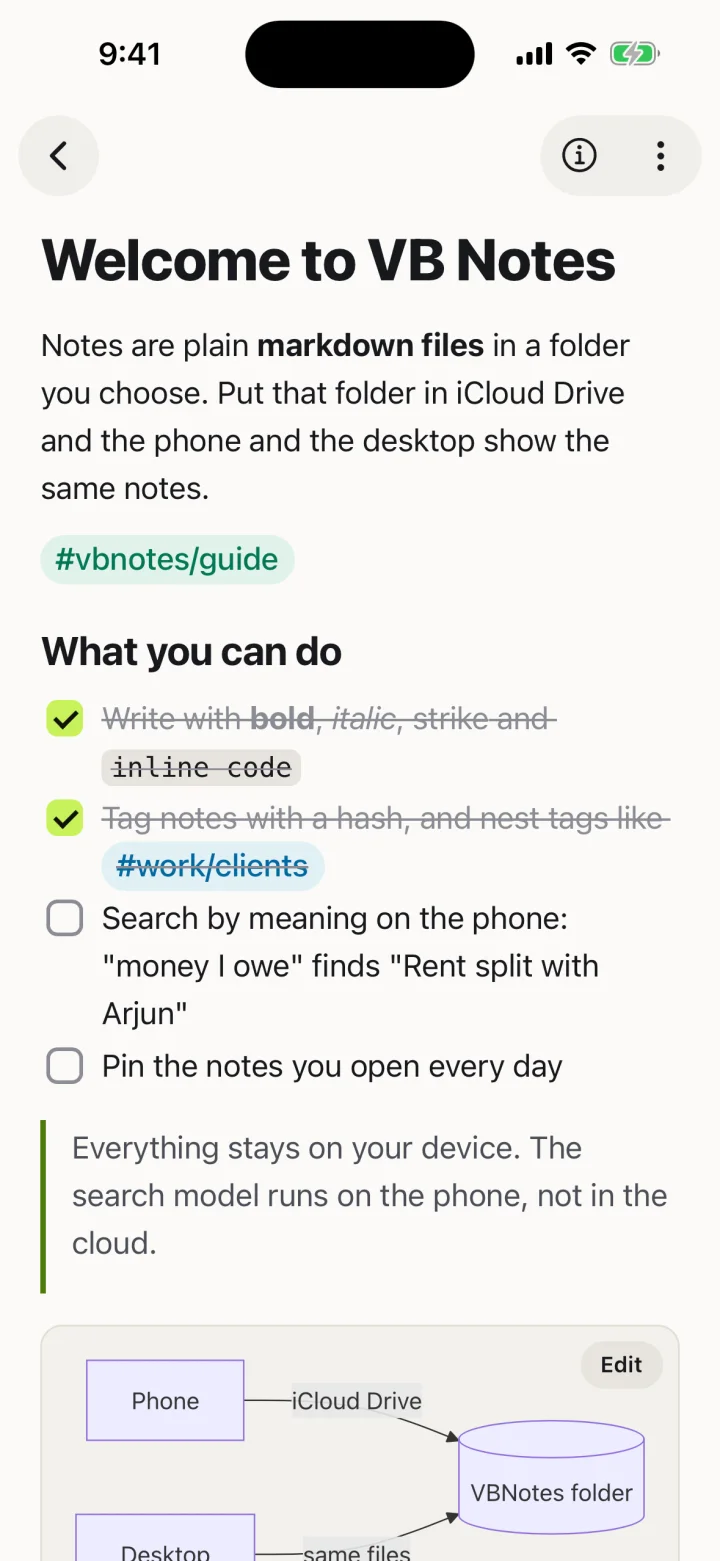 A checklist in VB Notes on iPhone. Source: vbnotes.com
It’s a notes app, though. It has no reminders or due dates, and no inapplicable state like GitLab’s [~]. I’ve compared it with other phone editors in my markdown notes apps for iPhone post, and with desktop editors in markdown editors for Windows.
FAQ
What is the markdown task list syntax?
A list marker, a space, then [ ] for an open task or [x] for a done one, then a space and the text: - [ ] Call the bank. The GFM spec accepts an uppercase X too, and since it says any list item, *, + and numbered markers should work as well.
How do I make a markdown checkbox that is checked?
Put an x between the brackets: - [x] Done. Under the GFM spec, X works too; in Obsidian any character marks it done.
Are GitHub markdown checklist boxes clickable?
Yes, in comments: GitHub’s docs say each task renders with a clickable checkbox you can select or deselect. In an issue’s body the list also shows progress and lets you turn tasks into issues.
Do markdown todo lists work in every app?
No. Task lists are a GitHub Flavored Markdown extension, not part of CommonMark, so renderers that stick to CommonMark, such as VS Code’s built-in preview without an extension, don’t draw checkboxes.
Can I put a markdown checklist inside a table?
On GitLab, yes, since 18.9, if the checkbox is the only content of the cell. Elsewhere, use a list rather than a table.
If your checklists live in issues, GitHub or GitLab already do more with them than any notes app: progress counts, tasks that turn into issues, boxes that tick themselves. For a list you keep in a notes folder, stick to - [ ] and - [x] with a space after the bracket. That’s the form GitHub, GitLab, Obsidian and Typora all document, and VS Code’s preview draws it once you add the extension.