
Can You Sync Obsidian Without Paying? Free Methods Compared
Disclosure: VB Notes is my app. I’ve tried to be fair, and I say where the others are the better choice.
Yes, you can sync Obsidian without paying. Obsidian is free without limits, and a vault is just a folder, so anything that syncs folders can sync it. The free method that works depends on your devices: iCloud Drive for iPhone and Mac, Syncthing for Windows, Mac, Linux and Android, and a plugin such as Remotely Save, or SyncTrain for Syncthing, when an iPhone has to meet a Windows PC or an Android phone. That last pair is where “free” starts to have small print.
Free Obsidian sync by device combination
Obsidian’s own sync guide lists iCloud, OneDrive, Google Drive, Syncthing, Git and Working Copy as methods people use besides its paid Obsidian Sync. Prices were checked on 8 November 2026 and are US prices.
| Your devices | Free method that fits | Catch |
|---|---|---|
| iPhone, iPad and Mac | iCloud Drive | Only 5 GB of iCloud storage is free |
| Windows, Mac or Linux only | Syncthing, or the folder of your cloud drive | Syncthing syncs only while two devices are on |
| Android and a computer | Syncthing-Fork with Syncthing | No cloud copy unless you add one |
| iPhone and Windows or Android | Remotely Save with Dropbox, or SyncTrain with Syncthing | Neither is supported by Obsidian on iOS |
| Any devices, with version history | Git | Pushing from the iPhone in Working Copy costs $29.99 |
Apple devices only: iCloud Drive
If every device is an iPhone, iPad or Mac, stop here: iCloud is free, and Obsidian lists it, with Obsidian Sync, as one of the two recommended options for iPhone and iPad. Make the vault inside the Obsidian folder in iCloud Drive and keep that folder downloaded on the Mac. I’ve written a full guide to Obsidian iCloud sync, including the usual fixes.
iCloud includes 5 GB free, and the first paid tier in the US is 50 GB for $0.99 a month (Apple support). A vault of text notes takes a long time to get near 5 GB. Don’t add a Windows PC to this setup: Obsidian’s guide warns that iCloud Drive on Windows “may lead to file duplication or corruption”.
Computers and Android: Syncthing
Syncthing copies a folder straight between your devices, with no cloud account in between. Obsidian recommends it for Windows, macOS and Linux. The desktop downloads are on syncthing.net, for Windows, macOS, Linux and the BSDs.
On Android, use Syncthing-Fork. The official Android app was retired in late 2024. The announcement, posted in October 2024, said the final release would ship with the December 2024 version, citing the difficulty of publishing on Google Play and a lack of maintenance. The fork’s README points to its GitHub releases and F-Droid for builds.
How to set it up
- Install Syncthing on the computer and Syncthing-Fork on the phone, and add each device to the other.
- Share the vault folder from one device, accept it on the other, and set it to Send & Receive on both, as Obsidian’s guide describes.
- In Obsidian on the second device, choose Open folder as vault and pick the synced folder.
Syncthing only moves changes while two devices can see each other, which is why Obsidian’s guide says it “works best when at least one device is always on”. There’s also no copy in the cloud, so if both devices are lost, so is the vault. Keep a separate backup.
Once Syncthing keeps the vault on your Android phone, other apps can open it too. VB Notes can open the same folder: pick it under Settings › Notes folder › Location and you get a Bear-style editor over the same .md files and [[links]], with nothing to import (Android sync guide). It has no plugins or graph view, so it’s a lighter second app, not a replacement.
An iPhone with Windows or Android: the hard case
Obsidian’s guide lists Dropbox, Google Drive, OneDrive and Syncthing as unsupported on iOS. Some users get them working through plugins or third-party apps, it says, but “results may vary”. If I had to pick one free route for an iPhone and a Windows PC, it would be Remotely Save with Dropbox: one plugin, the same on every device, and no extra app on the phone.
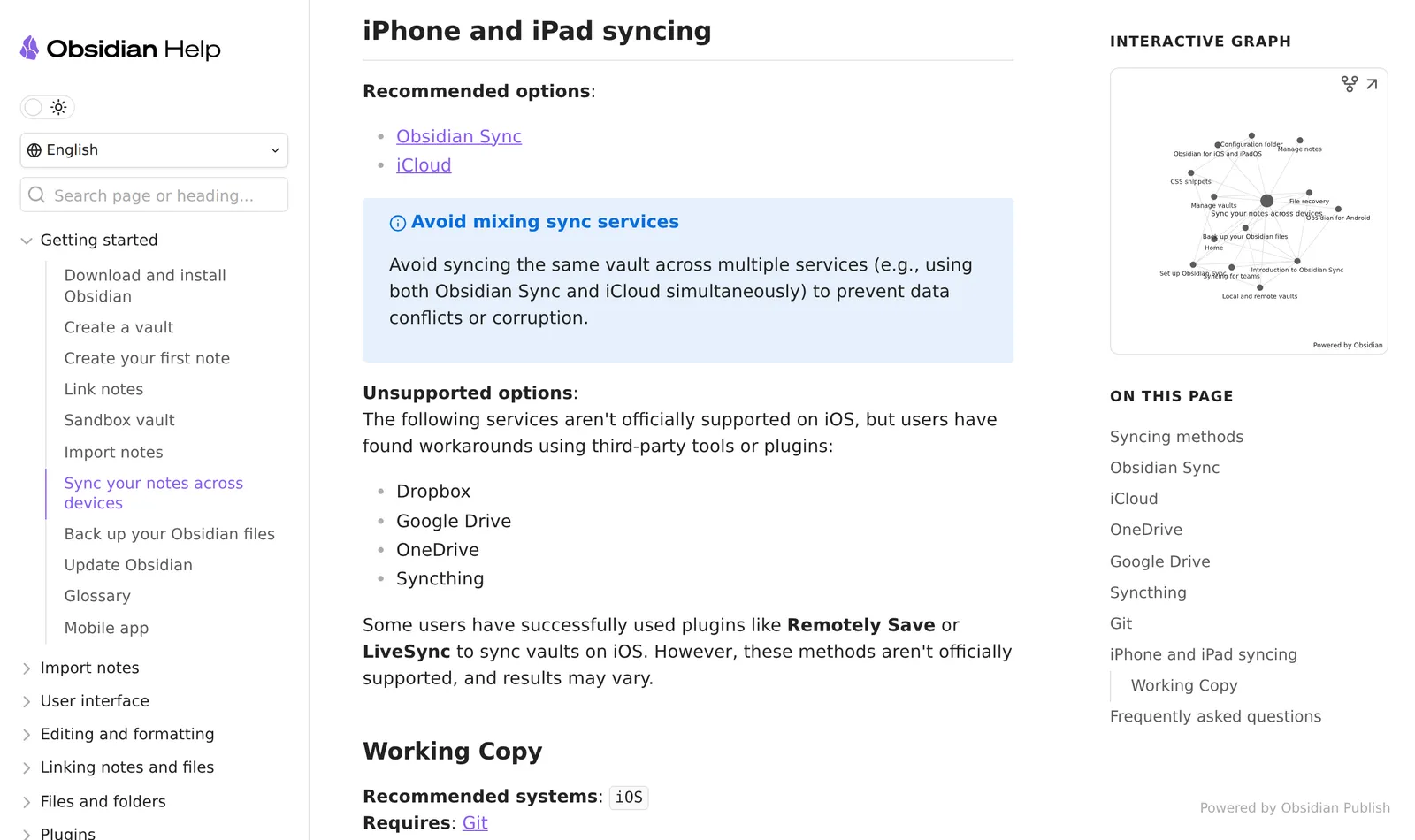 The iPhone and iPad section of Obsidian’s sync guide, 8 November 2026. Source: obsidian.md
Remotely Save with Dropbox
Remotely Save is a community plugin that runs inside Obsidian on every device, including the iPhone, and syncs the vault with a storage service you already have. The free version supports Dropbox, S3-compatible storage, WebDAV, and OneDrive’s app folder; Google Drive, full OneDrive access and smart conflict handling are paid PRO features.
Read its warnings before you start. The README says to back up your vault before using it, that auto sync only runs while Obsidian is open, and that errors during auto sync fail silently. It also notes that large files of 50 MB or more are slow to sync on mobile. Its licence is “Source Available”, not open source.
Syncthing on the iPhone
Syncthing has no iPhone app of its own, but two App Store apps run it. SyncTrain is free, needs iOS 17 or later, and says it’s “powered by Syncthing” but not affiliated with the Syncthing developers. Möbius Sync is free up to 20 MB in its own folder, and unlimited sync is a $4.99 in-app purchase. Neither is something Obsidian supports, so test with a copy of the vault first.
Self-hosted LiveSync
Self-hosted LiveSync is an MIT-licensed plugin that runs on every platform Obsidian runs on, and syncs in near real time with a CouchDB server. It needs somewhere to sync through: a CouchDB server you run yourself, object storage such as Cloudflare R2, or a peer-to-peer mode where both devices must be online. Self-hosting on a machine you already own is free but yours to maintain. The README warns not to run it alongside iCloud or Obsidian Sync.
Git: free, with version history
Git keeps every version of every note, and a private repository on GitHub’s free plan costs nothing. On a computer it’s the most reliable free route, but it isn’t automatic: Obsidian’s guide says you must push and pull changes yourself, though a plugin can do it on a schedule.
The phone is the weak spot. The Obsidian Git plugin says its mobile support is experimental and “very unstable”, and that its author would not recommend using it on mobile. On the iPhone, Obsidian’s guide suggests Working Copy instead, but in its App Store listing pushing to a remote is one of the Pro features, a $29.99 in-app purchase. So Git on the iPhone is free to read and paid to write.
Android with Google Drive or Dropbox
Obsidian’s guide says OneDrive may not work well on Android and suggests apps such as Dropsync or FolderSync, which keep a folder on the phone in step with the cloud. FolderSync supports Google Drive, Dropbox, OneDrive, WebDAV and more than 20 services, with two-way sync on a schedule or as soon as files change; the Android version is free with ads. On the computer, the vault sits in the Google Drive or Dropbox folder and Obsidian opens it there. Obsidian recommends keeping vault files available offline so the drive app doesn’t offload them.
What you give up by not paying
Obsidian Sync costs $4 a month billed yearly or $5 monthly, on its pricing page. The Standard plan covers one vault, 1 GB and files up to 5 MB, with a month of version history (Sync plans). It’s the only option Obsidian recommends on every platform.
The free methods give up the one-click setup and Obsidian’s own version history: only Git keeps every version as part of how it works. Every free method shares one rule from Obsidian’s guide: never run two sync services on the same vault, or you risk “data conflicts or corruption”.
FAQ
Is Obsidian sync free?
Obsidian itself is free, but Obsidian Sync, its own sync service, costs $4 a month billed yearly or $5 monthly. Syncing the vault folder with iCloud, Syncthing, Git or a plugin like Remotely Save costs nothing.
What is the best free Obsidian sync alternative?
It depends on your devices: iCloud for Apple only, Syncthing for computers and Android, Remotely Save with Dropbox when an iPhone meets Windows or Android.
Does Obsidian work with Syncthing on iPhone?
Not officially: Obsidian lists Syncthing as unsupported on iOS. SyncTrain (free) and Möbius Sync (free up to 20 MB, then $4.99) run Syncthing on the iPhone.
Can I sync Obsidian with Google Drive for free?
Yes on Windows, Mac and Android, by keeping the vault in the Google Drive folder on the computer and using an app like FolderSync on Android. On the iPhone, Obsidian doesn’t support Google Drive, and Remotely Save only offers it in its paid PRO version.
If you only own Apple devices, use iCloud and spend nothing. If you have an iPhone and a Windows PC and want sync you never think about, Obsidian Sync at $4 a month is worth paying for; the free routes there all need a plugin or an extra app and some patience.